Places vs Google Maps lists: a better way to plan together
Updated June 25, 2026
Google Maps is great for finding and saving places, and Google's My Maps can build a custom shared map. Neither is made for planning a trip together in real time. Here's how Places compares, and when each one is the right tool.
Where Places wins
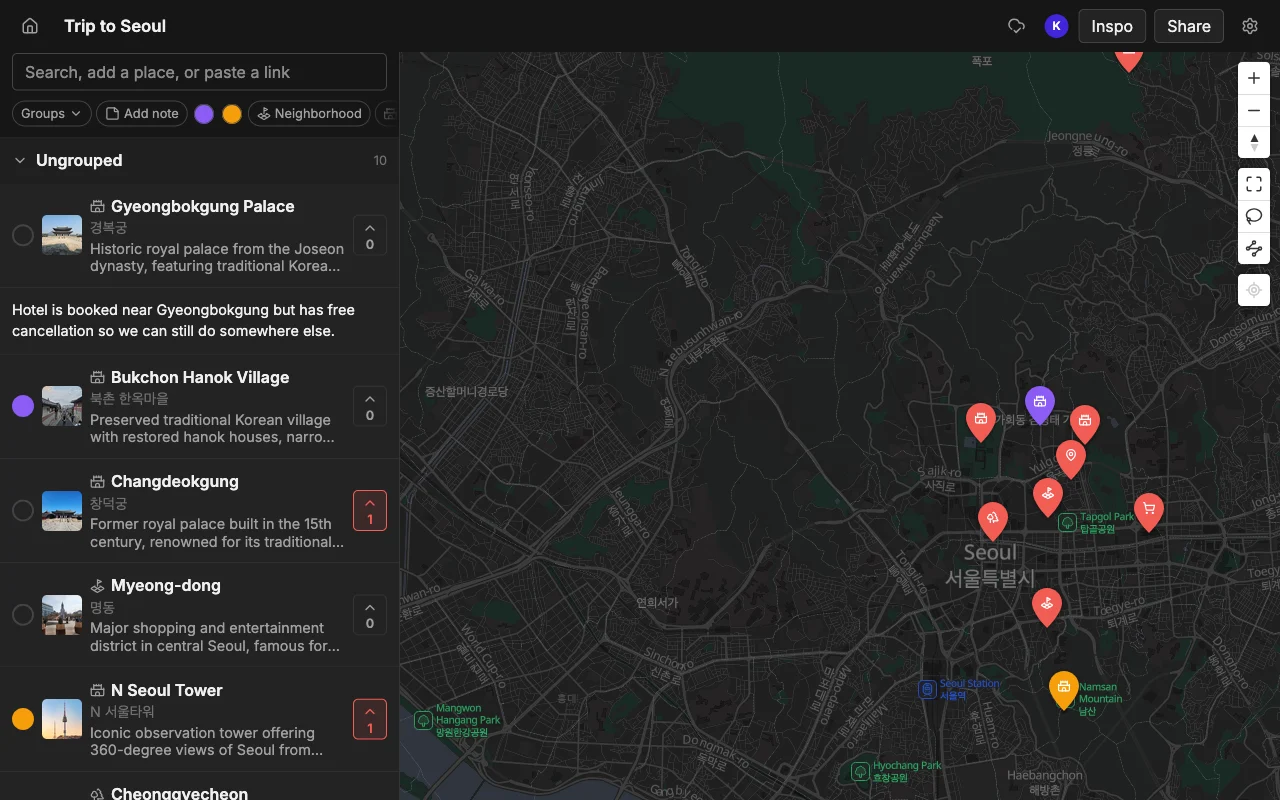
- Real-time editing. Google's My Maps lets several people edit a custom map, but it isn't live: everyone has to refresh to see changes. In Places, edits appear the instant they happen. Saved lists in the Google Maps app have no shared editing at all.
- Vote to decide together. The group votes on places right on the map to pick the winners. Neither saved lists nor My Maps has voting.
- Every place comes filled in. Search or paste a link and each place arrives with a photo, a description, and a color, ready for your note. In My Maps you add all of that by hand.
- Import from TikTok and links. Paste a TikTok, a Reel, or an article and Places pins the spots. Google has no social or video import.
- Share a public link, made for your phone. Share a read-only link anyone can open, no account needed, and edit it from a mobile-first app. My Maps is really a desktop tool and is awkward to edit on a phone.
Where Google Maps lists wins
- Already on your phone. Google Maps is installed everywhere, with zero signup.
- Navigation. Best-in-class turn-by-turn directions and live traffic.
- Offline maps. Download whole areas for offline use.
Feature comparison
| Feature | Places | Google Maps lists |
|---|---|---|
| Real-time sync of edits | Yes | No, My Maps needs a refresh |
| Vote on places | Yes | No |
| Auto photo and description per place | Yes | No, manual |
| Notes and colors per place | Yes | My Maps, manual |
| Import from TikTok and links | Yes | No |
| Share a public link | Yes | Yes |
| Turn-by-turn navigation | Export to Google Maps | Yes |
Which should you choose?
Google Maps is where you go once you've decided; Places is how you decide together. My Maps can make a shared custom map, but it is desktop-first with no live sync or voting. Plan and vote in Places, then export to KML to open the finished map in Google Maps for navigation.