Best Wanderlog alternatives (map-first and faster on big trips)
Updated July 11, 2026
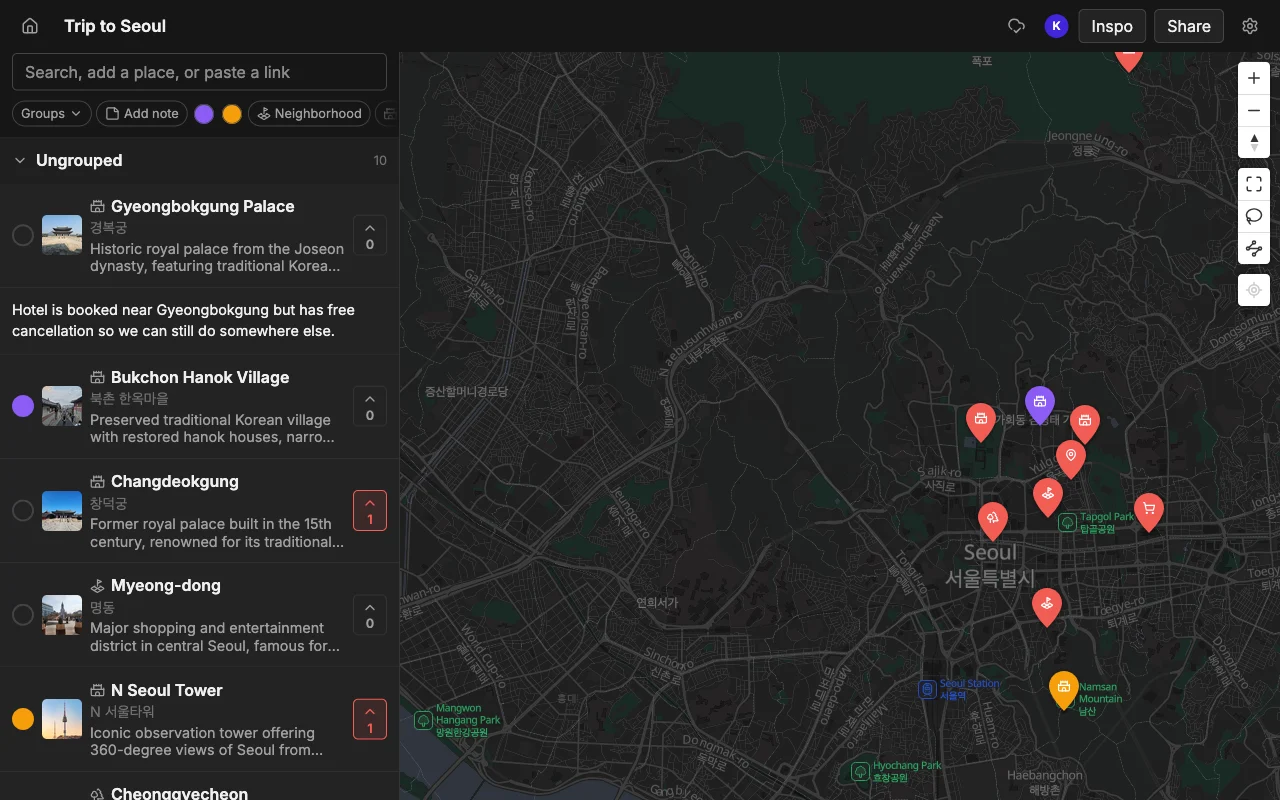
Wanderlog does a lot, and that breadth is exactly why so many people end up looking elsewhere. It tries to be an itinerary builder, a map, a budget tracker, and a reservation keeper all at once, and the more you pile into it, the more the seams show. The recurring gripes are consistent across its reviews: it lags on big trips, it gates offline maps and exports behind a subscription, it shows the map on only half the screen, and it centers on a day-by-day itinerary, which can feel rigid before you have decided anything.
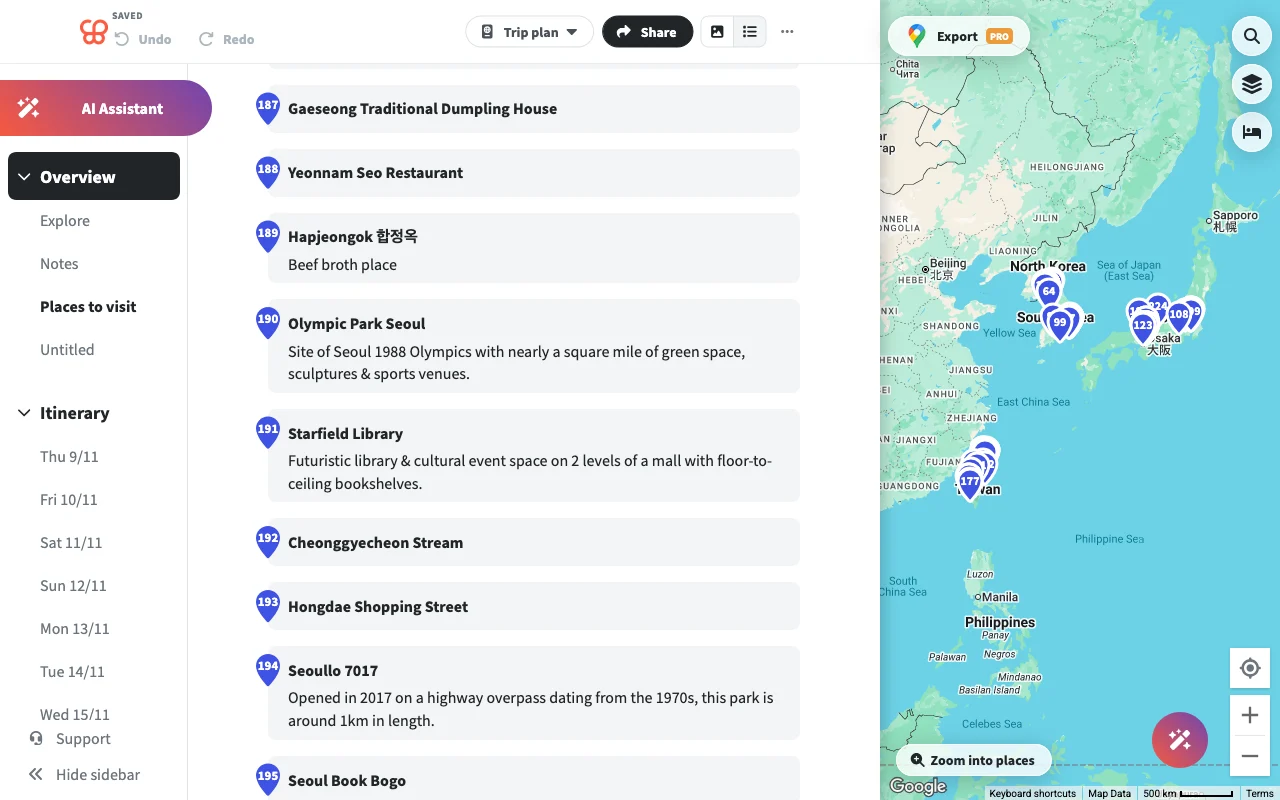
None of those complaints mean Wanderlog is a bad app. It just means it is opinionated in ways that clash with how a lot of people actually plan, especially in the messy early stage when a trip is still a loose pile of ideas from friends and social feeds. If one of those frictions is your particular sticking point, the right alternative depends entirely on which one it is.
Below is an honest field of alternatives and who each one genuinely suits. They are ranked roughly by how well they replace Wanderlog for collaborative, map-led planning, but each has a job it does best, so read for the fit rather than the position.
What to look for in a replacement
Before you switch anything, get clear on what actually bothers you, because the alternatives trade off in different directions and the “best” one is the one that fixes your specific pain.
- Speed at scale, if your trips run long and the app bogs down as the place count climbs. This is one of the most common reasons people leave Wanderlog, so weight it heavily if it is you.
- A real, full-screen map, if you plan by geography rather than by day, and you want to see how everything clusters at a glance instead of through a half-width window.
- Offline maps without extra cost, if you resent paying for basics you expected to be included, particularly for a trip where you will lose signal.
- Social import, if your ideas mostly arrive as TikToks and Reels and you do not want to retype every address by hand.
Hold those four criteria in mind as you read. Most of the tools below nail one or two of them and shrug at the rest, so knowing your priority order turns a vague “which is best” into an easy call.
Places, best for a fast, map-first plan you build together
Places is built around a shared map rather than a day-by-day itinerary, and that single difference is what makes it fast where Wanderlog drags. It stays quick as a big map fills up, so adding your hundredth pin feels the same as adding your tenth, and it shows a full map instead of squeezing it into half the screen. If speed on a large, growing trip is why you are leaving Wanderlog, this is the direct answer to that complaint.
It is designed for a group from the start. Everyone edits the same map in real time on the web, iPhone, and Android, so nobody is stuck screenshotting a plan to the group chat, and you can vote on which spots make the cut so decisions get made in the app rather than in an endless thread. Notes and colours on each place let you record why something is on the map, whether it is a must-do, a maybe, or someone’s long shot, so the group’s reasoning stays attached to the pin.
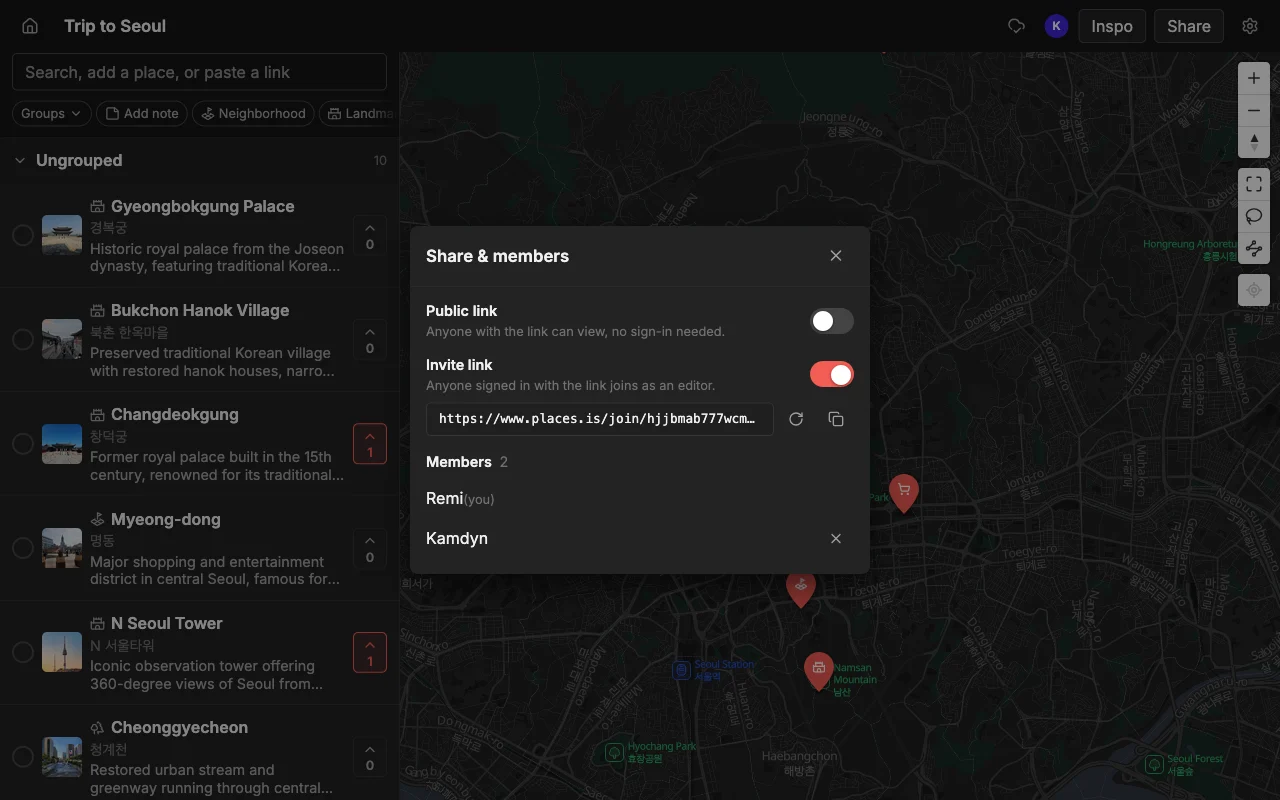
Getting places in is where it really pulls ahead of manual entry. Paste a TikTok, a Reel, a YouTube video, or a travel article, and it pins every place mentioned automatically, each with a photo and a short description. When the plan is set, you can export the map to KML, CSV, or PDF, and share it as a read-only public link that anyone can open without an account, or invite specific people to edit. It is free to start, with unlimited maps, places, and collaborators, so a whole group can pile in without hitting a wall.
Best if you want to gather and decide on places together without the app bogging down. See the head-to-head with Wanderlog, or read why Wanderlog slows down in the first place.
Google Maps lists, best for something you already have
Google Maps lists are free, already on your phone, and totally fine for a simple saved list of spots you want to remember. If your bar is “somewhere to drop a few restaurants for a weekend,” you do not need to install anything new, and the places link straight into Google’s navigation, which is convenient once you are on the ground.
The trouble is that it was never really built for planning together. Sharing a list to edit is glitchy and not real-time, so collaborators frequently end up stuck in a read-only view even when you meant to give them edit access, and changes do not sync live the way a group needs. There is no voting, so you cannot actually decide anything inside the tool, and there is no social-video import, so every place goes in by hand. Google also removed public list sharing back in November 2023, and you still cannot copy or search a list, only follow one, which quietly rules out a lot of the ways people want to reuse each other’s plans.
Best for a quick personal list, not group planning.
TripIt, best for booking logistics
TripIt does one thing and does it well: forward it your confirmation emails and it turns them into a clean timeline of flights, hotels, and reservations, with times, confirmation numbers, and gate details all in one place. For a trip that is heavy on bookings, having that itinerary assembled automatically saves time, and it surfaces the next thing you need to be at.
But it is not a map and it is not a place planner, which makes it a complement to a map tool rather than a replacement for Wanderlog’s planning side. It will not help you gather ideas, see how spots cluster, decide as a group where to eat, or import a place someone found on TikTok. The natural setup is to let TripIt handle the confirmed logistics while a map-first tool handles the deciding, so the two sit side by side rather than competing.
Best for keeping reservations straight, alongside a separate map.
Mapstr, best for saving spots over time
Mapstr is a mature app for saving your favourite places and following friends and tastemakers whose recommendations you trust. It works well as a personal library: tag a spot, drop it on your map, and build up a living record of everywhere you have loved over the years, which is exactly the kind of long-horizon collection Wanderlog is not really for.
Where it falls short as a Wanderlog replacement is collaboration and import. Its shared maps are add-only, meaning people can contribute pins but cannot fully edit together the way a trip plan needs, and it has no social-video import, so those TikTok and Reel finds go in manually. It is more of a place journal than a group planner, and it is happiest maintained by one person over the long run rather than co-owned by a group for a single trip.
Best for building a map of places you love, not planning one trip.
What to check before you switch
Once you have a shortlist, run each candidate through a few quick checks so you do not swap one frustration for another.
- Offline maps: confirm which apps include them for free, since this is Wanderlog’s most-cited paywall complaint and the last thing you want to discover missing when you lose signal abroad.
- Speed at scale: if your trip is large, favour a tool that stays fast as it fills up, and test it with a realistic number of pins rather than a handful.
- Social import: if you find places on TikTok or Reels, look for paste-a-link import so you are not adding everything by hand, which is slow and error-prone at trip scale.
- Who is coming: if the group is on mixed devices, make sure everyone can actually edit, not just view, because a “collaborative” tool that leaves half the group read-only is not really collaborative.
Weigh those against your top criterion from the start of this guide. If speed and live group editing on a full map are what you are missing, that points one way; if you only need booking logistics or a long-term place library, the answer is different and just as valid.
Frequently asked questions
- Can I move my Wanderlog trip over automatically?
- Places does not import from Wanderlog directly, so there is no one-click transfer. If your places came from social posts or travel articles, pasting those links pins each place automatically and rebuilds the map fast; anything else you add with a quick search.
- Is Places really free?
- Yes, it is free to start: you get unlimited maps, places, and collaborators, and you can start planning in about a minute.
- Which alternative is fastest on a huge trip?
- A map-first tool that does not reload every photo on launch will feel quickest, because that reloading is what users blame for the Wanderlog slowness. Places is built around a full map that stays responsive as it fills, which is the direct fix for that.
- What is the best alternative if I mostly need flights and hotels sorted?
- TripIt, which turns confirmation emails into a booking timeline. It is not a map, so pair it with a map-first planner for the deciding and use TripIt for the logistics.
- Do any of these let the whole group edit, not just view?
- Places does, in real time across web, iPhone, and Android, with voting to settle decisions. Google Maps lists and Mapstr both fall short here: sharing is glitchy and read-only-prone on the former, and add-only on the latter.
- Which is best for saving places long term rather than one trip?
- Mapstr, which is built as a personal library with a follow network. For a single collaborative trip, a live shared map like Places fits better; the two serve genuinely different jobs.