Best apps to save places from TikTok and Instagram (2026)
Updated July 11, 2026
Travel TikToks and Instagram Reels are full of great spots, but a saved video is easy to forget and painfully slow to act on. You watch a creator rattle off ten cafes in Lisbon, tap the bookmark, and feel like you have made progress. You have not. That bookmark is now sitting in a folder with two hundred others, none of them searchable, none of them on a map, and none of them attached to a name you can hand to a taxi driver.
The usual result is a saved folder full of clips you never open again, or a camera roll of screenshots you cannot search. When the trip finally comes around, you are stuck scrubbing through videos frame by frame, trying to remember which one had that rooftop bar and whether it was in the second district or the fourth. The information was all there. The format just made it useless the moment you needed it.
The best apps in this space fix that by reading the video for you and dropping each place it names onto a map. Instead of a pile of bookmarks, you get pins you can sort, share, and navigate to. Here are the top ones in 2026, what each does well, and who each is for.
What to look for
Once you actually use these apps, a few differences start to matter far more than the marketing screenshots suggest. A tool can look great in the App Store and still fall apart the first time you feed it a real city guide.
- How many places it pulls from one video. A single “top ten” clip can name a dozen spots, and weaker tools grab only the first one before giving up. That difference is the whole game: one pin versus ten is the difference between a saved video and a saved trip.
- Which sources it supports. TikTok and Reels are the baseline, but the good ones also handle YouTube and plain article links, because your inspiration rarely comes from just one place.
- Whether you can plan together afterwards. Saving is only half the job. If four friends are going, you eventually need a shared surface where everyone can add spots and weigh in, not a personal folder only you can see.
- Where it runs. Phone only, or also the web? And can the friend on Android and the friend on a laptop actually join, or are they locked out because they picked the wrong device?
Keep those four in mind and the roundup below sorts itself out quickly.
Places, best for saving and planning together
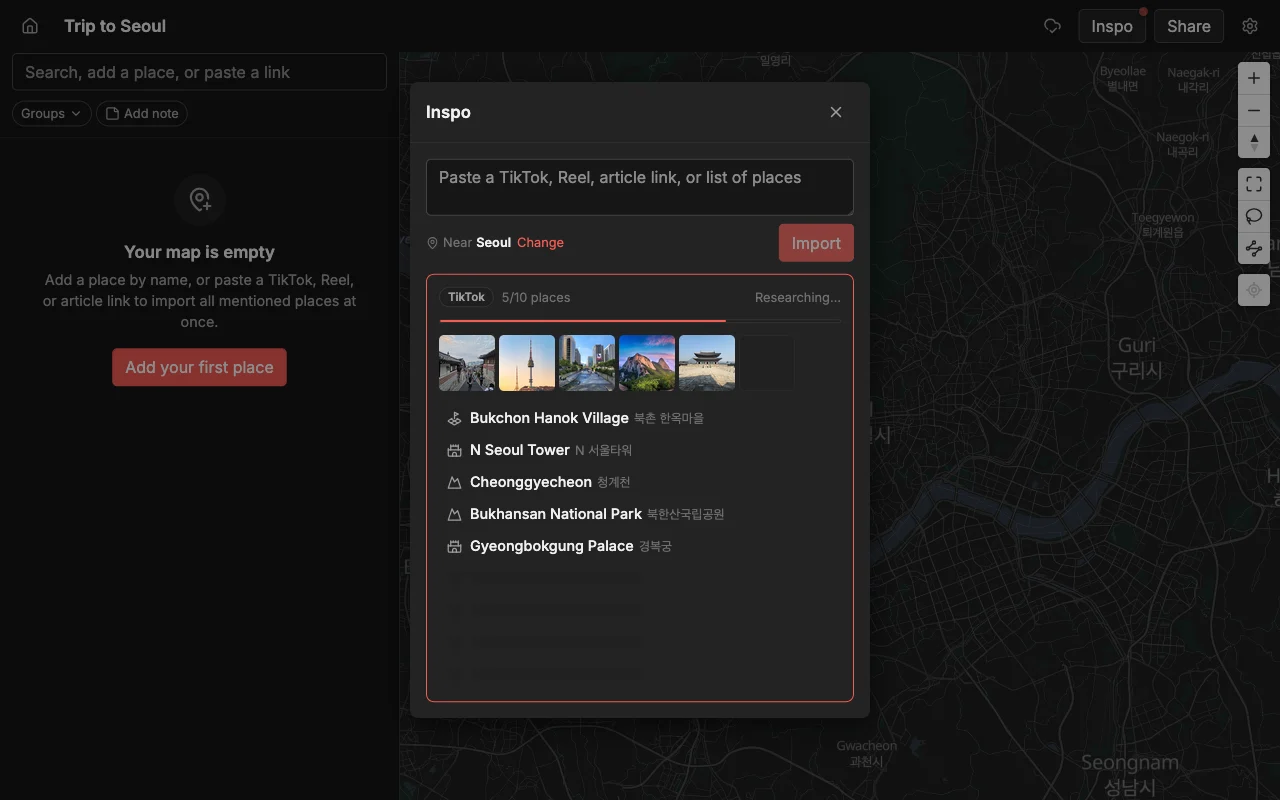
Paste a TikTok, a Reel, or an article and Places pins every spot it names, each with a photo and a short note. It finds every spot in the whole video, so a “top ten coffee shops” clip becomes ten separate pins in seconds, each dropped in the right neighborhood with a picture and a line of description already attached. You are not retyping anything. You paste a link and watch the map fill in.
That is the part people underestimate until they see it. Plenty of tools claim to import from social video and then quietly hand you the first location and stop. Places is built to pull out all of the places in a single clip, so the fifteen-stop food tour you saved actually arrives as fifteen stops. You can also add places by searching if the spot came from a friend’s text or a magazine instead of a video, so nothing is stranded outside the map.
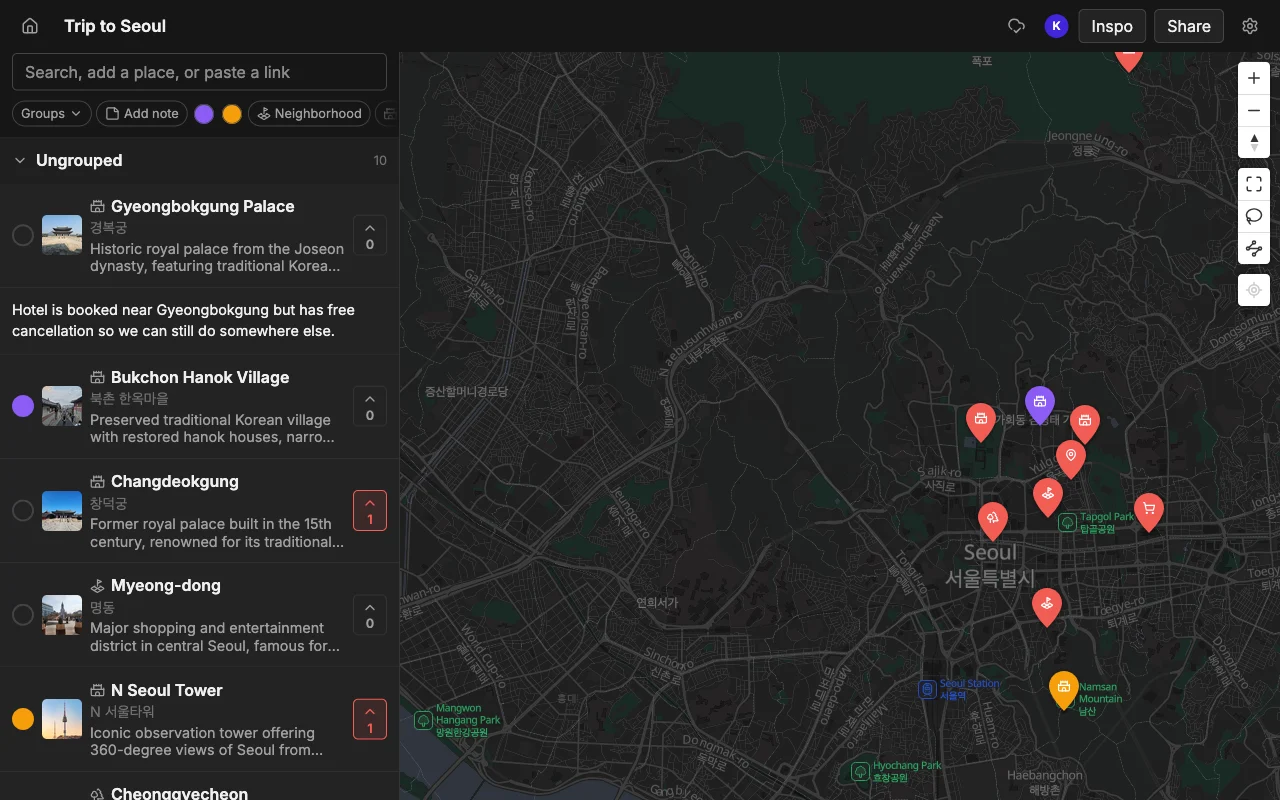
What sets it apart is what happens after the pins land. Several people can edit the same map live, watch each other’s changes appear in real time, vote on the spots they actually want, and leave a note or a color on each place so the map reads like a plan instead of a scatter of dots. It runs on the web, iPhone, and Android, so the whole group is in, and you can hand out a read-only link that opens without an account for anyone who just wants to look. Places is free to start, with unlimited maps, places, and collaborators. You can export a finished map to KML, CSV, or PDF when you want it somewhere else. Best if you gather places from social content and then plan the trip with other people.
Plotline, best for iPhone users who want a swipe-to-plan day
Plotline is an iPhone app that also imports from TikTok, Reels, and, unlike most, YouTube. It imports from all three of those sources on iPhone. If your inspiration lives across all three video platforms, having one app that imports from all of them is a real convenience.
Its standout feature is Sidequests, which lets you swipe through your saved spots and nearby picks and auto-builds a route for the day. It is a low-effort way to plan a spontaneous afternoon: you tell it roughly where you are, flick through a few suggestions, and it stitches them into an order that makes geographic sense. For solo wandering, that swipe-to-plan loop is a quick way to fill an afternoon.
The limits are platform and collaboration. It is iPhone-only for now, with no web app and no Android, so anyone in your group on another device is simply out. Collaborative trip planning is still on the way rather than shipping today, which means it works for one person and gets awkward the moment a second person needs in. Best if everyone is on iPhone and you want a same-day planner for yourself.
JoySpot, best for importing from lots of sources
JoySpot pulls places from TikTok, Instagram, links, and Google Maps, and can even import your whole Mapstr map, all on both iPhone and Android. That breadth is its pitch, and it is a fair one: if you are arriving with saved spots scattered across several apps, JoySpot is one of the few tools that will vacuum most of them into a single place. It is inexpensive, and it has shared spaces so a group can plan together rather than saving alone.
The main caveat is consistency. Pulling several places out of a single video can be hit or miss, so the “top ten” clip that should become ten pins sometimes lands as three, and you finish the job by hand. If you rely heavily on multi-stop videos, that unreliability adds up. But as a low-cost, cross-platform way to consolidate everything you have already saved elsewhere, it does a job the pricier apps do not. Best if you are moving over from another app and want everything in one place cheaply.
Mapstr, best for saving spots you love over time
Mapstr is a mature app for saving your favorite places and following maps from friends, chefs, and publications. It has a real social layer: you can follow people whose taste you trust and browse the spots they have quietly collected over time. As a long-running personal atlas of places you care about, it fits that job well.
Where it does not fit this particular roundup is social video. Mapstr imports from Google Maps, CSV, and KML, but not from TikTok or Reels, so anything you find in a video goes in by hand: you watch, you note the name, you search for it, you save it. That is fine if your saving habit is a slow, steady drip of favorites rather than a burst of pins from a viral clip. Its shared maps are also add-only, so it is a saver first and a co-planning tool second. Best for building a personal map of places over years rather than importing from a video.
The manual options: Google Maps and Wanderlog
Google Maps lists and Wanderlog are both popular and both capable, but neither turns a video into pins, so every place goes in by hand. With Google Maps you drop pins into a list and share it, which works until you want live editing or voting, both of which it lacks. Wanderlog goes the other direction with full itineraries, flights, and hotels, but it too has no social import, so the TikTok spots still arrive one manual search at a time.
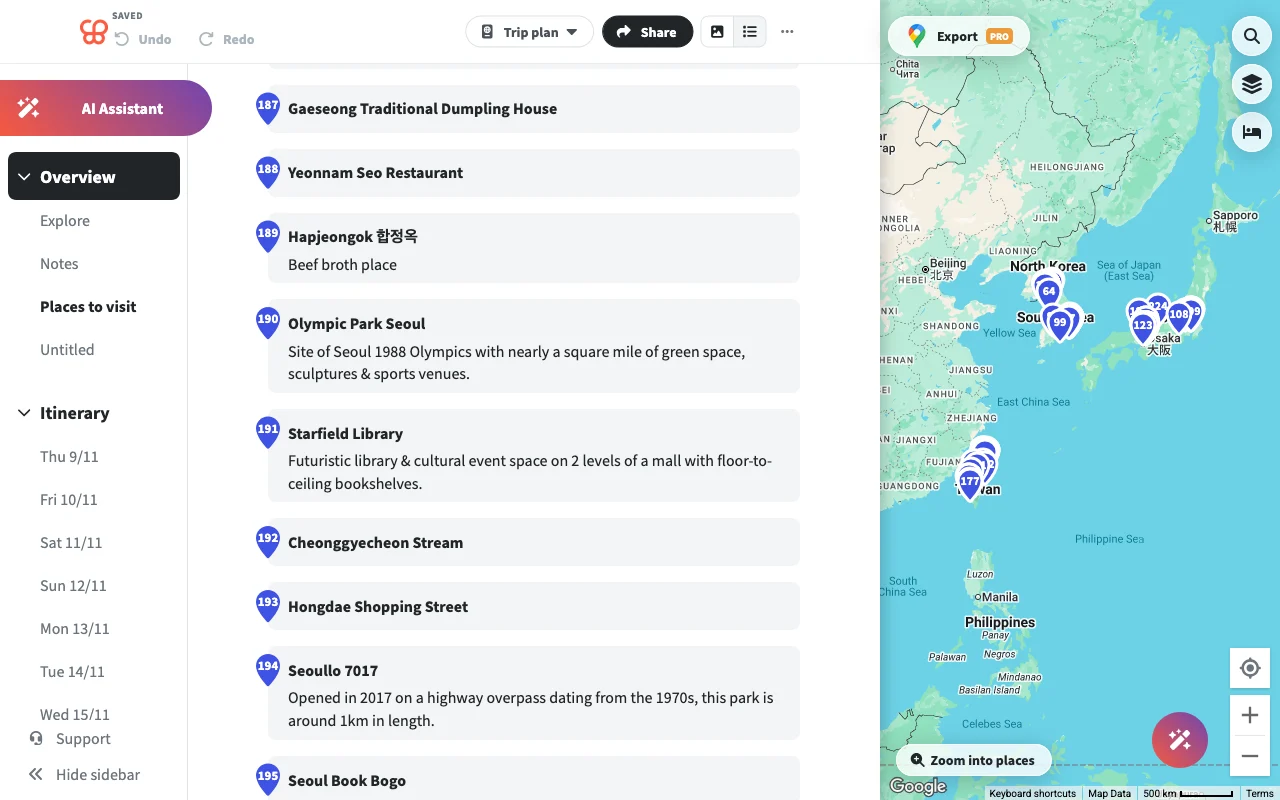
They shine elsewhere. Google Maps is excellent for navigation once you know where you are going, and Wanderlog is thorough for the logistics of a booking-heavy trip. Neither is the tool for turning a saved Reel into a map, which is the specific job this page is about. Treat them as the destination for places you have already collected, not the thing that collects them. Best for navigation and logistics respectively, once the places are already on the map.
Frequently asked questions
- Which app pulls the most places from one video?
- Places is built to pull the multiple places a video names, not just the first, so a ten-stop guide can arrive as ten pins. Simpler savers often grab the opening location and stop.
- Do any of them work on Android?
- Places, JoySpot, and Mapstr all run on Android. Plotline is iPhone-only for now, and Google Maps and Wanderlog are cross-platform too. If your group is on mixed devices, that rules the phone-only apps out fast.
- Can I turn a YouTube video into a map too?
- Yes. Places and Plotline import from YouTube, not just TikTok and Reels. See how to turn a YouTube travel video into a map for the step-by-step.
- Do I have to pay to save places from a video?
- Not with Places, which is free to start with unlimited maps, places, and collaborators. JoySpot is inexpensive, and the others vary, so check each before you commit a whole trip to one.
- What if a video names ten places but the app only finds a few?
- That is the usual failure mode of weaker importers, and it is exactly what the multi-place import in Places is built to avoid. If an app you are testing keeps stopping at the first pin, feed it a known ten-stop clip and count the results before you trust it with a real trip.
- Can I share the finished map with people who are not on the app?
- Yes. Places gives you a read-only link anyone can open in a browser without an account, and you can also export to KML, CSV, or PDF if someone wants the list in another format.