How to plan a trip with friends on one shared map
Updated June 23, 2026
Planning a trip with friends usually falls apart the same way: someone drops a link in the group chat, three people react with an emoji, and by the next day it is buried under a hundred messages. Nobody can find the good suggestions, and one person ends up doing all the work. Places fixes that by putting the whole plan on one live map everyone can build together.
The core problem is that a group chat is a stream, and a trip is a collection. A stream is great for “running five minutes late” and terrible for “here are the fourteen places we might want to eat, sorted by neighborhood.” Every good idea scrolls away the moment the next message lands, so the plan never accumulates anywhere. You end up with the illusion of planning (lots of activity) and none of the result (an actual shortlist you can act on).
A shared map flips that. Every suggestion becomes a pin that stays put, in the right place, that the whole group can see, vote on, and add to. Instead of re-reading the chat to reconstruct what everyone said, you open one map and the current state of the plan is right there. This guide walks through setting that up, from the first pin to walking around the city with the finished plan in your pocket.
Why the group chat fails
A chat is the wrong tool for planning because:
- Links get lost. A restaurant someone shared on Monday is unfindable by Friday.
- There is no map. You cannot see whether two suggestions are next to each other or across town.
- No one is deciding. Ideas pile up, but there is no clean way to pick.
A shared map solves all three: every suggestion is a pin, in the right place, that the group can vote on.
Look closer at each failure and you can see why it is structural, not just a discipline problem. Links get lost because chat has no concept of “the list of places” as a durable object; each link is just another message. There is no map because a chat is a column of text, so two spots that are a five-minute walk apart look identical to two spots on opposite ends of the city, and you only discover the difference the hard way, on foot. And nobody is deciding because reacting with a thumbs-up is not the same as choosing: reactions do not sort, count, or narrow anything down, so the “decision” keeps getting deferred until someone just books whatever is easiest.
The knock-on cost is that one person becomes the unofficial trip planner. They are the one who scrolls back through the chat, keeps a private list somewhere, and nags everyone for opinions. That person burns out, the rest of the group feels shut out, and the trip reflects one person’s taste instead of everyone’s. Moving to a shared map is not just tidier; it redistributes the work so the plan belongs to the group.
Start one map
Make a map for the destination and add a few spots to get going. Search by name, or paste a TikTok, a Reel, or an article and let Places pull the places out automatically, each with a photo and a note. Sort them into lists like Food and Sights, and color the pins so the map stays easy to read as it fills up.
Seeding the map with a handful of spots first is worth doing before you invite anyone, because an empty map is intimidating and a map with eight pins is an invitation. When friends open something that already has a few good places on it, they instinctively add “oh, and this one,” whereas a blank canvas makes them feel like they have to do all the work. You are setting the tone: this is a shared draft, not a chore assigned to them.
The paste-a-link feature is what makes this fast. Instead of typing each restaurant name and hunting for the right one, you drop in a TikTok food tour or a “best coffee in the city” article and the places it names land on the map at once, with a photo so you can recognize it and a short note describing what it is. A lot of trip inspiration these days lives in short videos and listicles, and this is how you get it out of the feed and onto a map without transcribing anything.
As the map grows, lean on lists and colors to keep it legible. Group pins into Food, Coffee, Sights, Bars, and Day Trips, and give each group a color, so a glance tells you what you are looking at. This structure also quietly does day-planning work for you: once you can see that four of your Food pins cluster in one neighborhood, a natural “that is our Tuesday” starts to suggest itself without anyone drawing up a formal itinerary.
Invite everyone
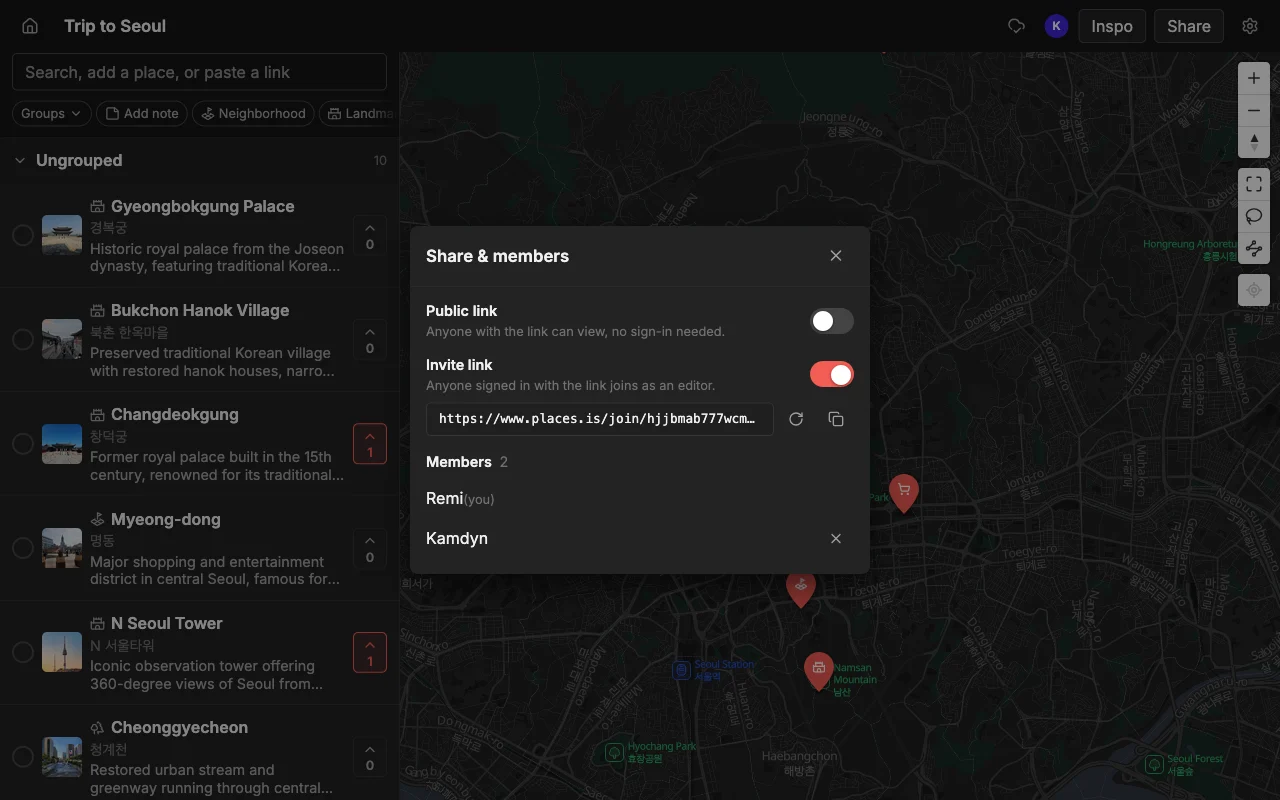
Share an invite link so friends can add their own spots, or a read-only link for people who just want to follow along. Edits sync live on the web, iPhone, and Android, so everyone always sees the latest map with nothing to re-send. No one is left out for being on Android or a laptop.
The two-tier sharing matters more than it sounds. Give an invite link to the people who are actually coming and want to shape the trip: they can add, vote, and comment. Give a read-only public link to anyone who just wants to peek, for example a partner who is curious or a friend who visited last year and wants to eyeball your picks. The read-only link opens for anyone with no account and no app install, so there is zero friction for the “just looking” crowd, while the editors get full control.
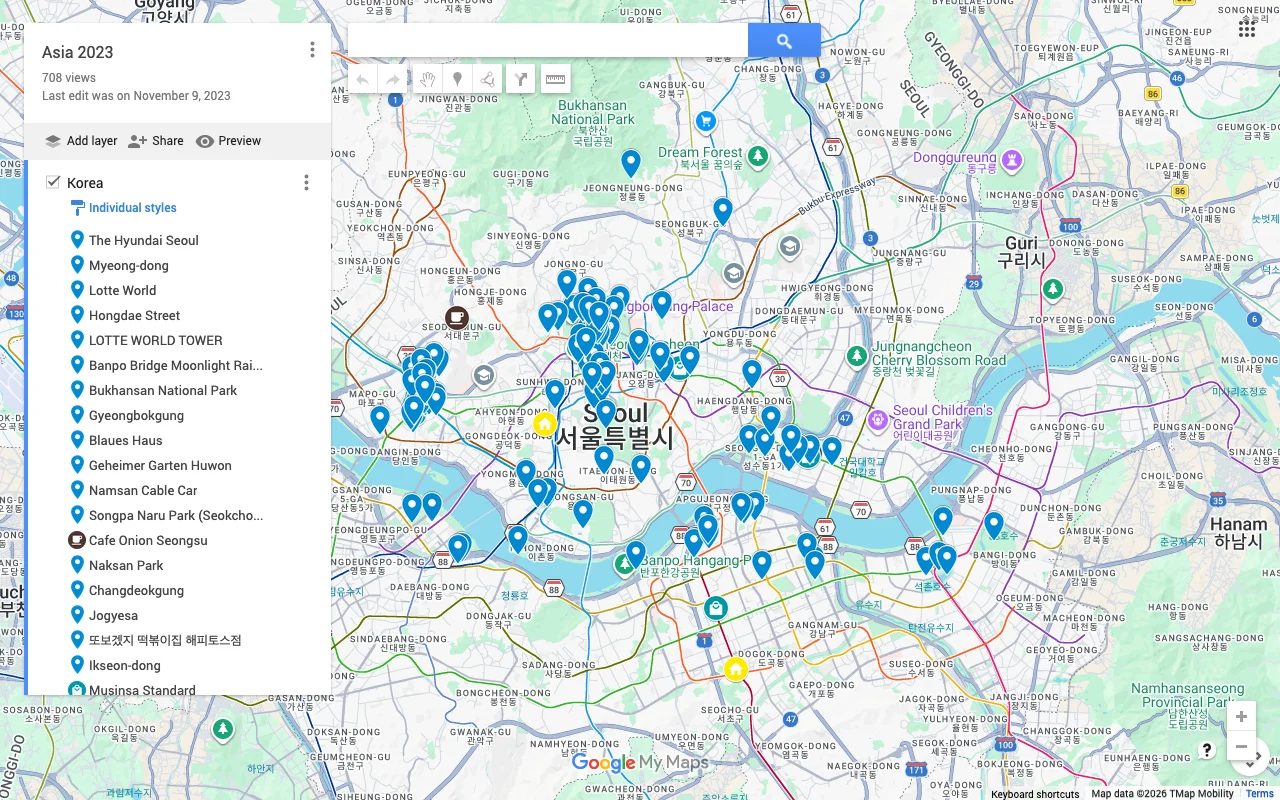
Live sync across web, iPhone, and Android is the part that quietly removes the most friction. There is no “final version” to export and re-send every time someone adds a place, because there is only ever one map and it is always current. Somebody sitting at a laptop and somebody scrolling on their phone on the bus are editing the same thing at the same time. This is a real gap in some alternatives: Google My Maps lets people edit but is not live (everyone has to refresh) and works only on desktop, and Google Maps lists leave invitees stuck as read-only followers who cannot actually contribute. Here, everyone edits, on whatever device they own.
Decide together
This is where a map beats a doc. The group votes on spots to surface the ones people actually want, so you settle the “where should we eat?” question without a fifty-message thread. Leave a note on each place for hours, prices, or who suggested it, and use colors and lists to shape a rough day-by-day feel.
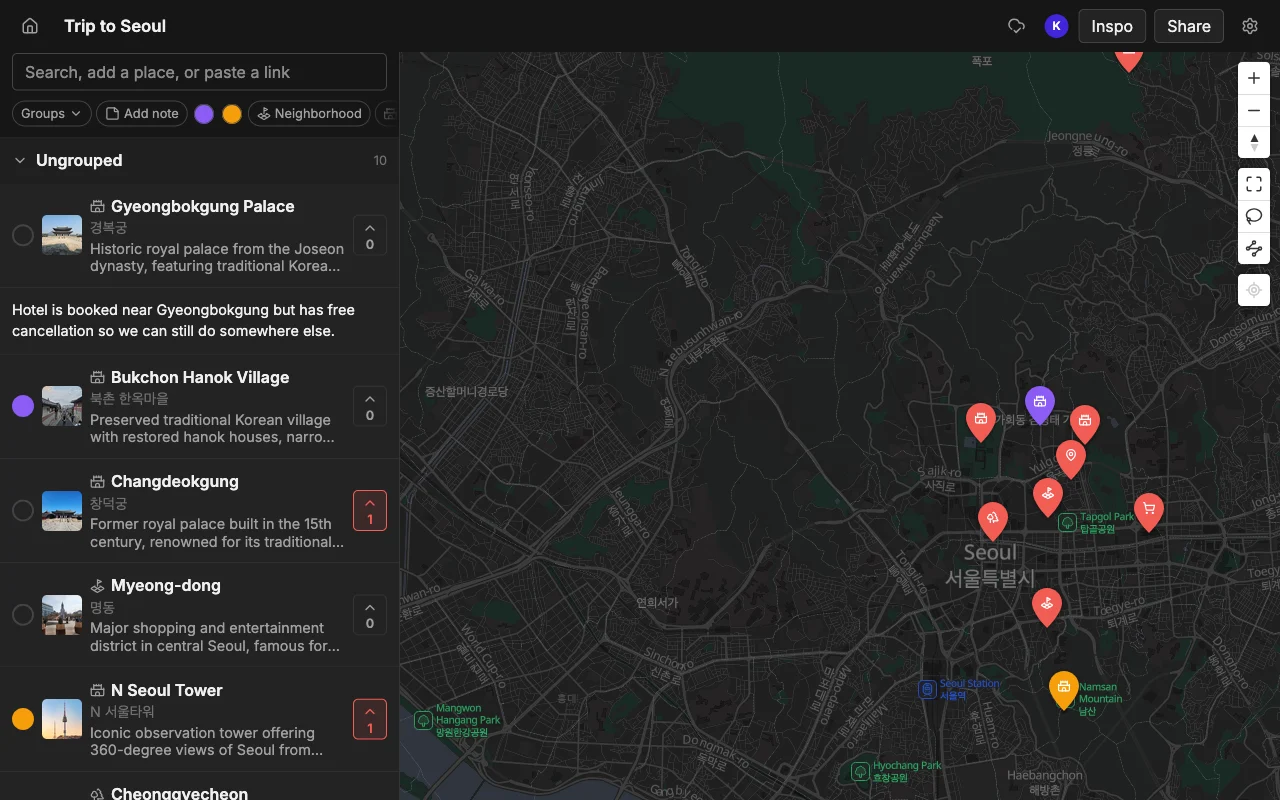
Voting is the mechanism that finally lets the group decide instead of endlessly discussing. When each person votes for the places they care about, the spots with broad support float to the top and the long tail of one-person wishlist items falls away on its own. Nobody has to be the bad guy who says no to someone’s suggestion; the votes do the narrowing, gently and visibly. A restaurant with six votes and a museum with one tells you where to spend your limited time without a single argument.
Notes carry the context that would otherwise vanish into the chat. Put the opening hours on the place that closes at 3pm, the price on the tasting menu that will blow the budget, the “book two weeks ahead” warning on the hard-to-get table, and the “my cousin recommended this” on the spot only one person is vouching for. Because the note lives on the pin, it is there when you need it, on the map, in the right place, instead of forty screens up in a conversation you will never scroll back to.
Together, votes, notes, lists, and colors let the group shape a loose day-by-day feel without forcing a rigid itinerary. You are not filling in a spreadsheet of time slots; you are clustering the best-loved pins by area and roughly sequencing them. That is usually the right altitude for a trip with friends, flexible enough to change on the day, structured enough that you are never standing on a corner asking “so what now?”
Take it with you and navigate
By the time you leave, the map is the plan, and it is in everyone’s pocket. Add a spot you walk past, check what is nearby, and when you want directions, export to KML to open the map in Google Maps.
The map earns its keep most on the trip itself, not just during planning. Because it is live and on everyone’s phone, the person who wanders past a great-looking bakery can pin it in the moment, and everyone else sees it instantly. Waiting for a table? Open the map, see what is a two-minute walk away, and fill the gap. The plan stops being a static document you made in advance and becomes a living thing that keeps improving as you go.
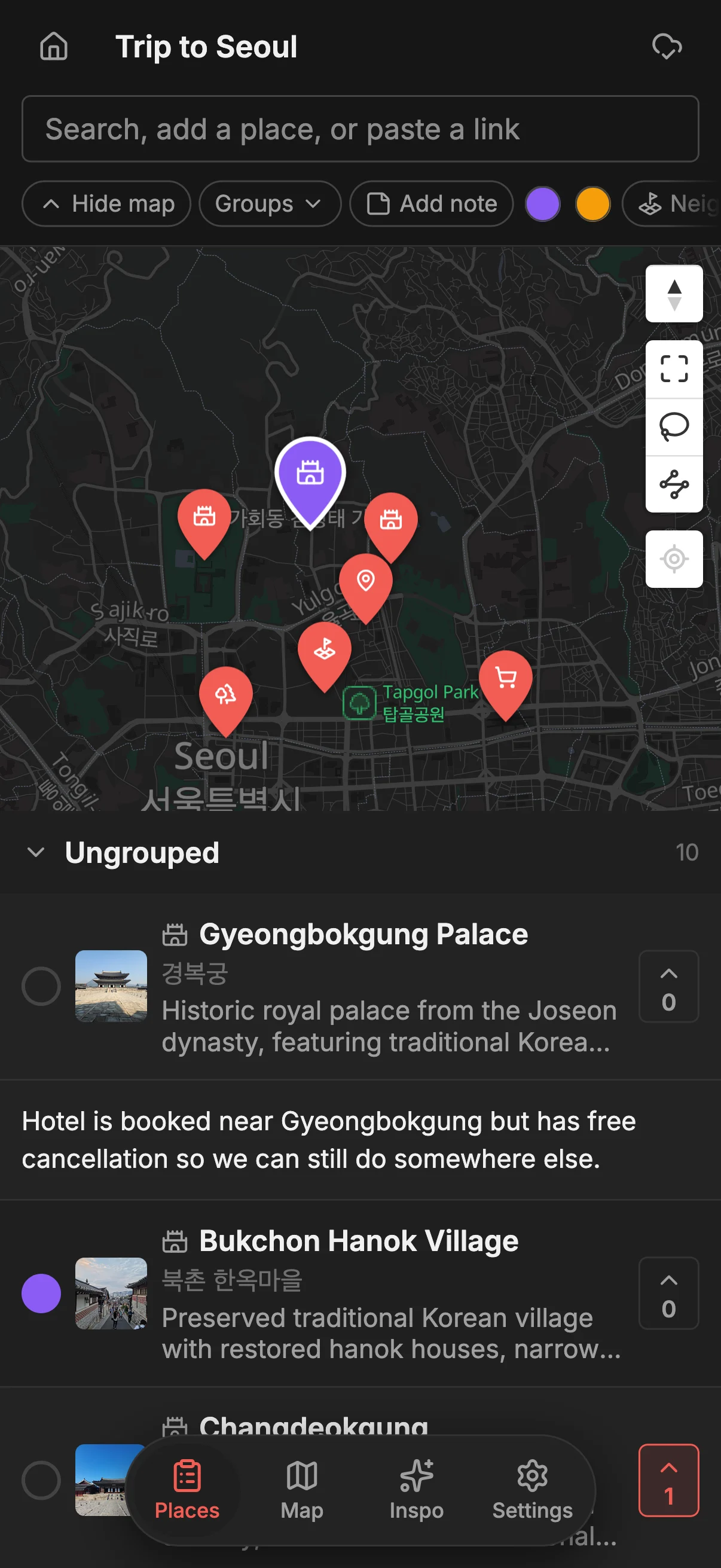
When it is time to actually navigate, export to KML and open the map in Google Maps for turn-by-turn directions and Street View. You get the best of both: you plan and decide together in Places, where the collaboration, voting, and notes live, and you navigate in the app you already trust for directions. If you want to weigh the tradeoffs of different tools before you commit, the best apps to plan a trip with friends guide lays them out side by side, and the Places vs Google Maps lists comparison digs into where each one fits.
Frequently asked questions
- How many people can join?
- There is no cap on collaborators, so the whole group can be on one map. Invite the people who are traveling as editors and send a read-only link to anyone who just wants to follow along.
- Do we all need accounts?
- Only people who edit. A read-only link opens for anyone with no account and no app install, so friends who just want to look can do so instantly, while contributors sign in to add and vote.
- Does it work on both iPhone and Android?
- Yes. Places runs on the web, iPhone, and Android, and edits sync live across all of them. Nobody is left out for being on the "wrong" device or on a laptop instead of a phone.
- How do we actually decide where to go?
- Everyone votes on the spots they want, and you can see which places have the most support. It replaces the endless "where should we eat?" thread with a quick, visible tally that the whole group can see.
- Can we plan more than one trip?
- Yes. Make a separate map for each trip, and keep them all. There is no limit on maps, places, or collaborators, so this weekend's city break and next summer's big trip can each have their own.
- How do we get directions once we are there?
- Export the finished map to KML and open it in Google Maps for turn-by-turn navigation. You plan and decide in Places, then navigate in the app you already use on the ground.