Google Docs for maps: how collaborative maps work
Updated June 23, 2026
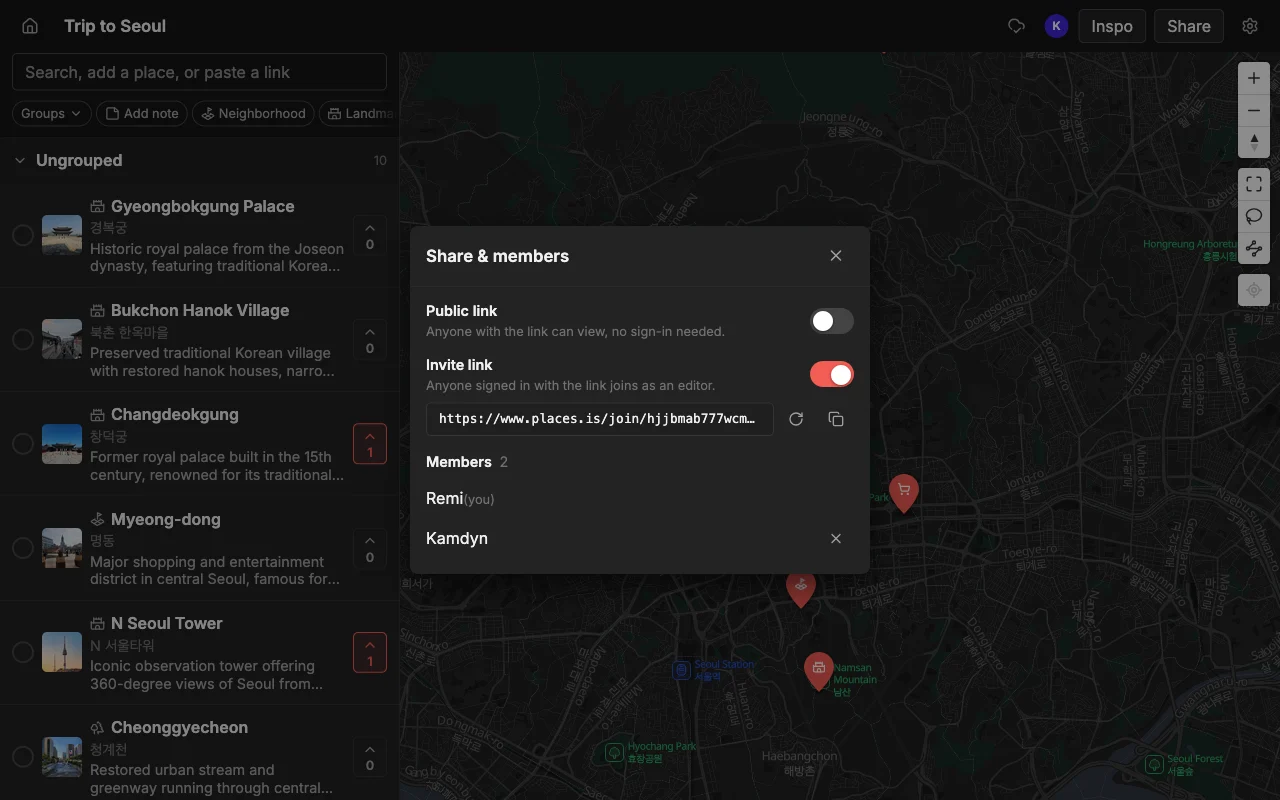
Google Docs changed how people write together: one document, everyone editing at once, changes appearing live. Maps never got that. You either email a screenshot around or wrestle with a tool that makes one person the owner and everyone else a spectator. Places is the Google-Docs idea applied to a map, a shared, multiplayer place you build together in real time.
The reason “Google Docs for maps” resonates is that everyone already knows the feeling of the old way. Before collaborative docs, writing together meant emailing a file named something like “final_v3_really_final” back and forth and merging edits by hand. Maps are still stuck in that era for most people: you make a list, screenshot it, and paste it into a chat, and the second anything changes the screenshot is wrong. A collaborative map fixes the same problem collaborative docs did, by making the map itself the shared thing rather than a snapshot of it.
This guide explains what a real-time collaborative map actually is, how it differs from the usual workarounds, and how to make one. If you have ever wished a map worked the way a shared doc does, this is the shape of it.
What “Google Docs for maps” means
Like a shared doc, everyone works on the same map at the same time. That single idea has a few concrete consequences worth spelling out, because they are what separate a genuinely collaborative map from a list you merely sent to someone.
- Live edits. When someone adds or moves a pin, everyone sees it instantly, no refresh.
- No single owner bottleneck. Anyone you invite can add, edit, and organize, not just view.
- Everything in one place. Notes, colors, and lists live on the map, not scattered across a chat.
Live editing is the headline feature, and it is more than a convenience. When two people can edit at once and see each other’s changes, planning becomes a conversation held on the map instead of in a separate thread. You add a pin, a friend drags it slightly and drops a note that says “the real entrance is here”, and you both watched it happen. Nothing needs to be re-sent because there is no separate copy to fall out of date.
The absence of an owner bottleneck matters just as much. In most map-sharing setups, one person owns the map and everyone else can only look, which means every change funnels through that one person. A collaborative map removes that chokepoint: the people you invite are full participants, not spectators waiting for the owner to make an edit for them. That is the difference between a group project and a presentation, and it is the difference you feel the moment two people are adding places at the same time.
How Places does it
Open a map, share a link, and anyone you invite can add places, reorder them, color pins, and add notes, all in real time on the web, iPhone, and Android. Add places by searching or by pasting a TikTok, a Reel, or an article, and each one arrives with a photo and a description already filled in. The group can vote on spots to decide together.
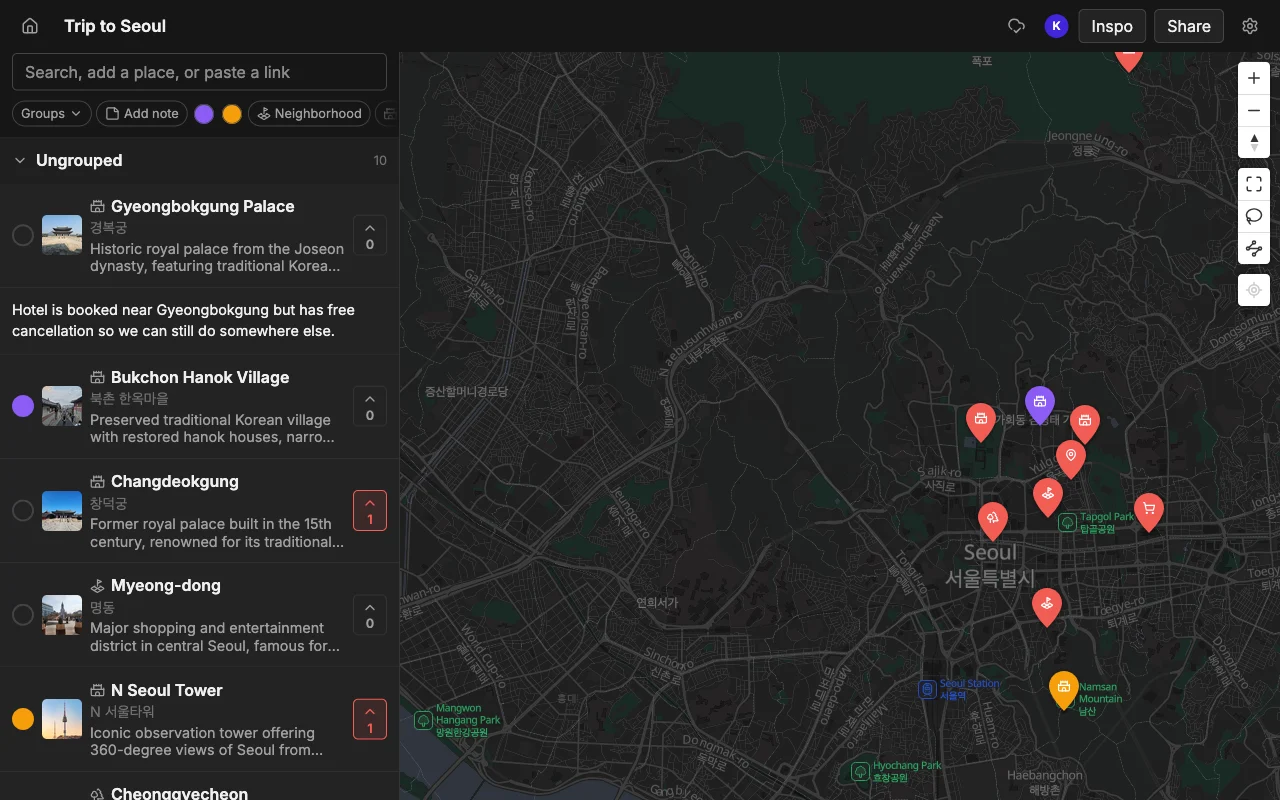
The real-time part is genuine, not a periodic sync. When a collaborator adds a pin from their phone on the other side of the country, it appears on your screen right away, the same way another person’s cursor and text show up in a shared document. You can watch a map fill in during a planning call, with several people adding their favorite spots at once, and the map simply absorbs all of it without anyone stepping on anyone else’s work.
The pasting feature is what makes a collaborative map worth filling in the first place. A shared doc is only useful once there is content in it, and typing every restaurant name and address by hand is the tax that kills most map projects. Because Places turns a TikTok, a Reel, a YouTube video, or an article into pins, each with a photo and description, the map goes from empty to useful in the time it takes to paste a few links. Then voting and notes turn that filled-in map into a decision instead of just a collection.
How it compares to the usual workarounds
Most people arrive at “I wish this worked like Google Docs” after hitting the wall with a tool they already tried. It is worth being precise about where each of the common options falls short, because each one gets one part right and misses another.
- A Google Doc or Notion is flexible but has no map and no idea what a place is, so you type every address by hand.
- Google Maps lists can be shared, but editing together is glitchy and not truly live.
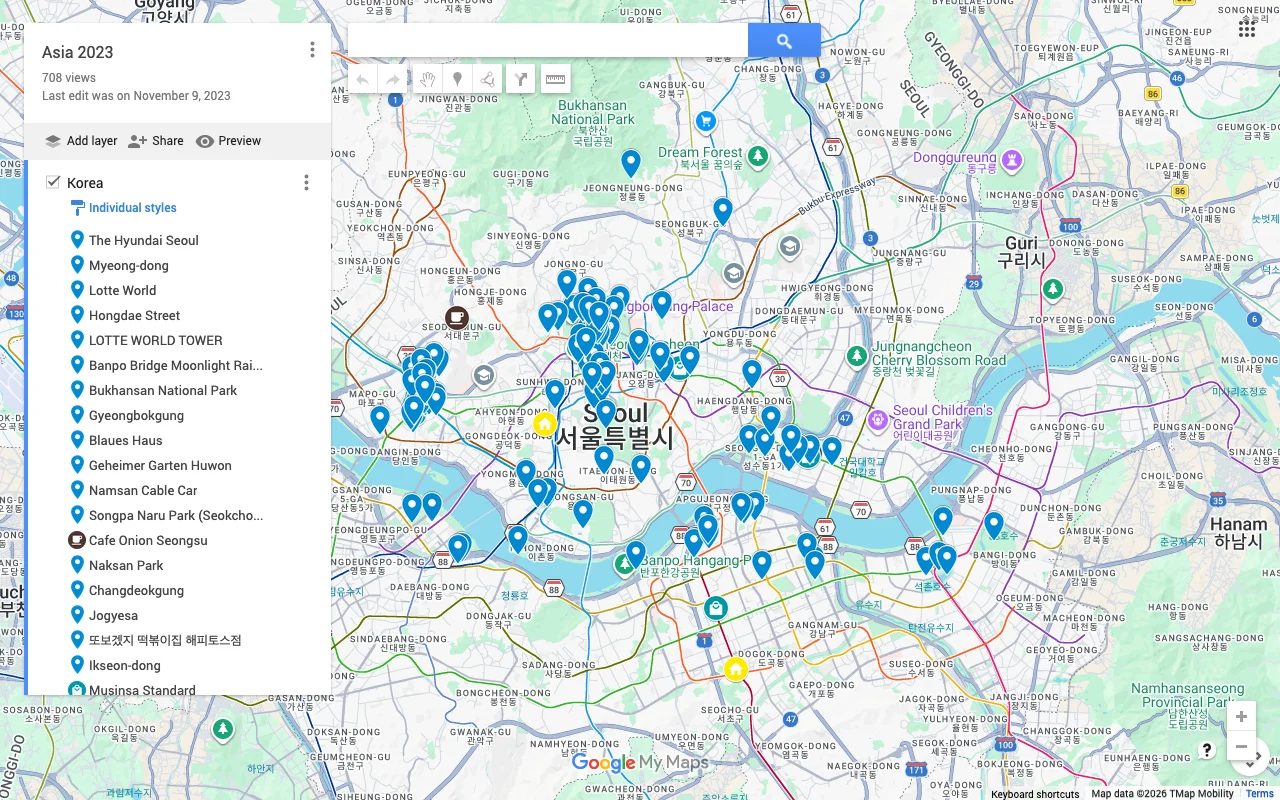
- Google My Maps lets several people edit, but it is not live (you refresh to see changes) and only works on a desktop, so no one can edit from a phone.
A document is the closest thing most people reach for, and it is collaborative, but a doc has no spatial sense at all. It does not know that two restaurants are on the same block or that the museum is a detour, so you lose everything a map is actually for. You end up maintaining a list of addresses that you then have to look up one by one somewhere else, which is most of the work a map was supposed to save you.
Google Maps lists solve the “it’s on a map” problem but not the “we edit it together” one. Sharing is possible, but collaborative editing is unreliable and not truly live, there is no voting to decide between spots, and invitees frequently end up able to view but not contribute. Google My Maps gets furthest on the collaboration front, since several people can genuinely edit one map, but it is not live either (everyone has to refresh to see changes), that editing only works in a desktop browser, and a single map runs into ceilings on how many layers and items it can hold. On a trip, the moment a good place turns up is usually when someone is out with a phone, which is exactly when My Maps cannot help.
Places is the one that is a real map, truly live, and works on a phone. That combination, spatial like a map, collaborative like a doc, and available on the device you actually carry, is what the “Google Docs for maps” wish is really asking for.
What it’s good for
A living shared map beats a thread of links for a lot of things. The pattern that makes it useful is the same every time: more than one person cares, the set of places changes over time, and where things are relative to each other matters.
- Trips and weekend plans with friends.
- A running restaurant or coffee shortlist.
- Date-night lists and neighborhood guides.
Trip planning is the obvious case, and planning a trip with friends is where the real-time, multi-device nature pays off most, because everyone can throw in spots from their own research and the plan assembles itself. But the format keeps earning its place after the trip too. A shared restaurant shortlist that you and a partner add to over months becomes a useful “where should we go” map, always current, never re-sent.
Neighborhood guides and date-night lists work for the same reason: they are living collections that benefit from more than one contributor and from sitting on a real map. Anywhere you would otherwise keep pasting links into a chat and losing them, a collaborative map holds the same information in a form you can actually see and act on. It is free to start, on the web and mobile, so a shortlist can begin with a single pin and grow from there.
Frequently asked questions
- Is it actually real-time?
- Yes. Edits appear for everyone the moment they happen, like a shared doc. When someone adds or moves a pin, the change shows up on everyone else's map right away, with no refresh and nothing to re-send.
- Can I share a view-only version?
- Yes, share a read-only link for people who should see the map but not change it. Anyone can open that link without an account, which makes it good for a wider group, while edit access goes only to the people building the map with you.
- Do collaborators need an account?
- Only to edit. Viewing a shared link needs no account. A free account lets someone add and change places on the map, but browsing a read-only link has no sign-up step at all.
- Does it work on phones, not just a computer?
- Yes. A collaborative map in Places works on the web, iPhone, and Android, and edits sync live across all of them. Someone can add a place from a phone while out and everyone else sees it immediately.
- How is this different from a shared Google Doc?
- A doc is collaborative but has no map, so it cannot tell you where places are or how they relate. A collaborative map keeps the same live, multi-person editing but on a real map, with photos, colors, lists, and voting built in.
- How many people can edit one map?
- You can invite as many collaborators as you like. It is free to start with unlimited maps, places, and collaborators, so a map can go from two friends planning a weekend to a larger group without changing anything.