How to share a trip itinerary with friends
Updated June 25, 2026
A trip itinerary usually starts as a good idea and slowly falls apart in the group chat. Someone screenshots a list of restaurants, someone else drops three TikToks, a third person pastes a Google Maps link that opens to a pin nobody can find again. By the time you land, the plan is scattered across a week of messages and nobody is sure which version is current. The information exists, but it is not in one place, and it is definitely not on a map.
Sharing an itinerary works far better when the plan lives on a single map that everyone can open with one link. Instead of re-sending an updated list every time something changes, you send the link once and it always shows the latest version. People can see where each spot actually sits, how far the museum is from lunch, and which places cluster into a walkable afternoon. Places is built for exactly this: put the whole trip on one shared map, hand out a link, and let the group see and shape the plan together.
This guide walks through the practical steps: building the itinerary on a map, choosing between a read-only link and an editable invite, keeping everything in sync while you travel, and letting the group vote and comment so you actually decide instead of endlessly debating. It works the same on the web, iPhone, and Android, and it is free to start.
Put the plan on a map
Start by making a map for the trip and giving it a clear name like “Lisbon, October” so it is easy to find later. Then add your spots. You can search for a place by name and drop the pin, the same way you would look something up in any maps app. Every place you add carries a photo and details, so the map reads like a real itinerary rather than a wall of grey pins.
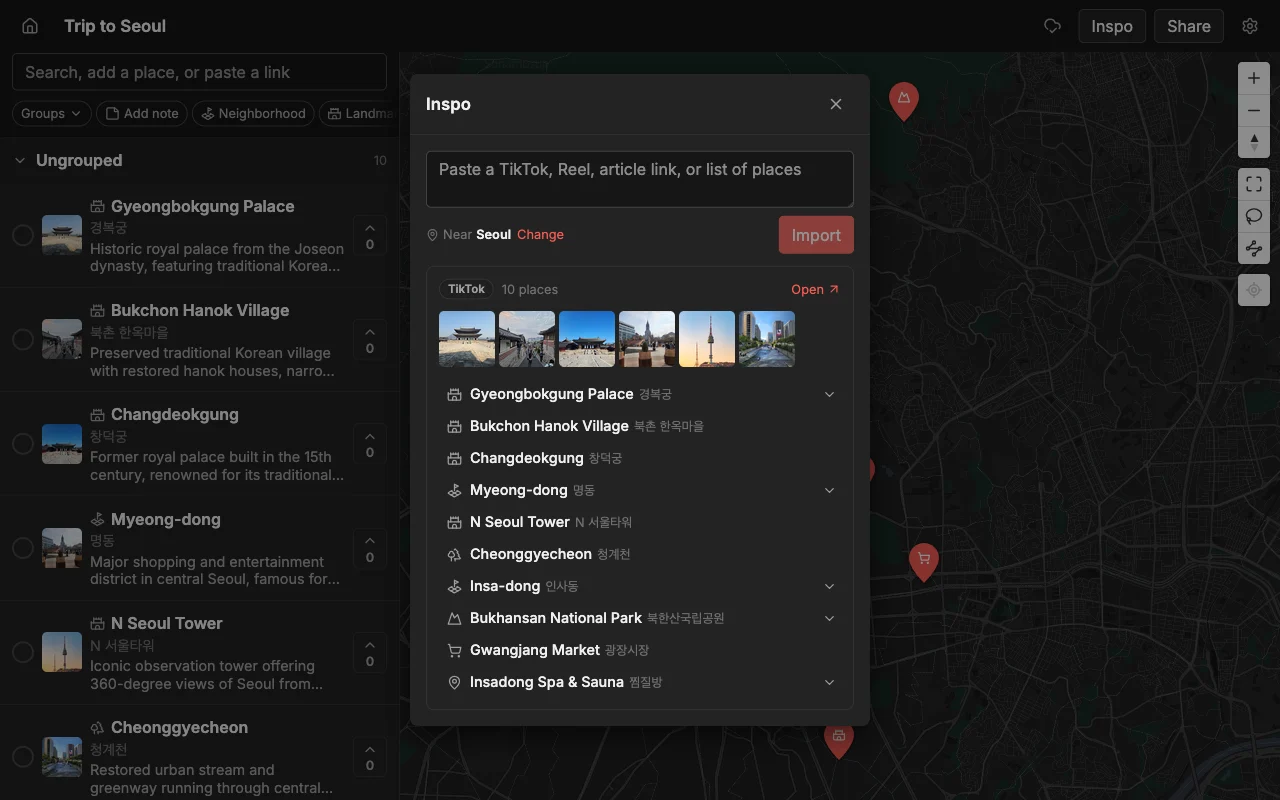
The faster way to fill a trip map is to paste a link. Drop in a TikTok, an Instagram Reel, a YouTube video, or a travel article, and Places pins every place it names automatically, each with a photo and a short description already filled in. This matters because most trip inspiration arrives as social video and blog posts, and retyping every restaurant name and address by hand is where itinerary planning usually stalls. A single “10 best cafes in Lisbon” article can populate half a day in one paste.
Once the spots are down, organize them so the plan is legible at a glance. Sort places into lists like “Day 1”, “Day 2”, and “Food” or “Coffee”, and color the pins so categories jump out on the map. A well-organized itinerary map lets anyone open the link and immediately understand the shape of the trip: where you are staying, what is nearby, and what each day looks like. Good structure here pays off later, because it is what makes the shared link useful to the rest of the group.
Share one link
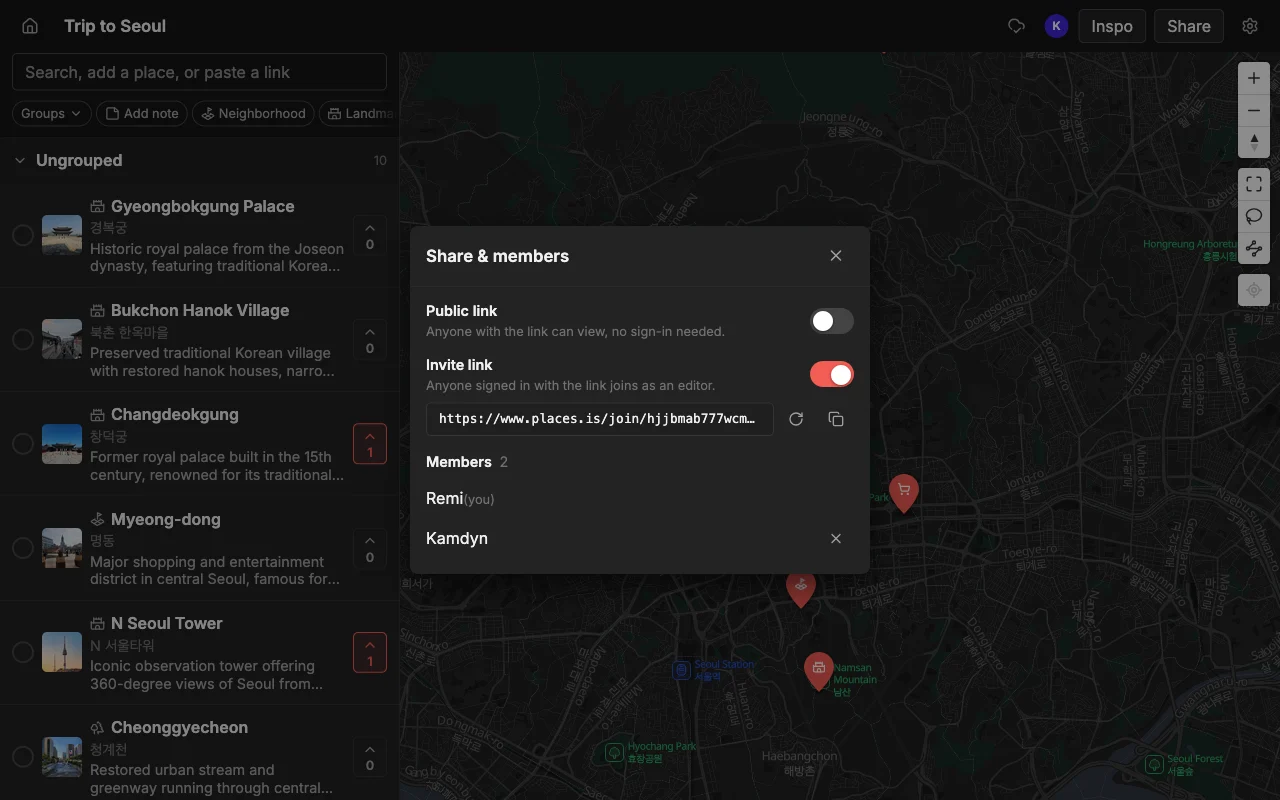
When the map is ready, you have two ways to share it, and the right one depends on what you want people to do. A read-only public link lets anyone open the map and browse every place, photo, and note without creating an account or installing anything. This is the one to send in a big group chat, post in a family thread, or give to people who just need to see the plan. Nobody can accidentally move a pin or delete a spot, and there is no sign-up wall between them and the itinerary.
The second option is an invite link so friends can edit. Send this to the people who are actually planning with you, and they can add places, reorder the days, recolor pins, and leave notes on the same map you are looking at. Edits sync live, so the moment someone adds a rooftop bar, it appears for everyone with nothing to re-send and no “here’s the updated list” message. Collaborators need a free account to edit, but viewers of a read-only link never do.
A common mistake is defaulting to the editable invite for everyone. If you give edit access to twelve people, you invite twelve chances for someone to reorganize the map by accident. A cleaner approach is to keep the read-only link for the wider group and hand edit access only to the two or three people genuinely building the plan. You can share both from the same map, so there is no need to duplicate anything or choose one audience over another.
Keep it in sync while you travel
An itinerary is not a fixed document, it changes constantly, and that is where a shared map earns its keep. Plans shift the moment you arrive: a place is closed on Mondays, a friend recommends somewhere better, rain moves the beach day to Thursday. On a shared map, you make the change once and everyone sees it instantly, whether they are on the same street or still at the hotel. There is no re-exporting, no new screenshot, no version confusion.
Because it works on the web, iPhone, and Android, people can pull the map up on whatever they are carrying. Someone can add a place from their phone the second a local recommends it, and the rest of the group sees the new pin without doing anything. This is the part that a static itinerary, a shared note, or a PDF cannot do: it goes stale the instant you send it, while a live map stays current for the whole trip.
It is also worth keeping the map open as a shared reference during the day, not just a planning tool from before the trip. When you are standing at a metro station deciding where to eat, the map already has the shortlist, the notes about what to order, and the colors that tell you which spots are near you. The itinerary you built together becomes the thing you actually navigate the trip by.
Decide together
The hardest part of any group trip is not collecting ideas, it is deciding between them. A shared map turns that from a chaotic chat argument into something visible and quick. Everyone can vote on the places on the map, so instead of “where does everyone want to eat” spawning forty messages, the group’s preferences show up right on the pins. The spots people actually want rise to the top, and the ones nobody voted for quietly drop off.
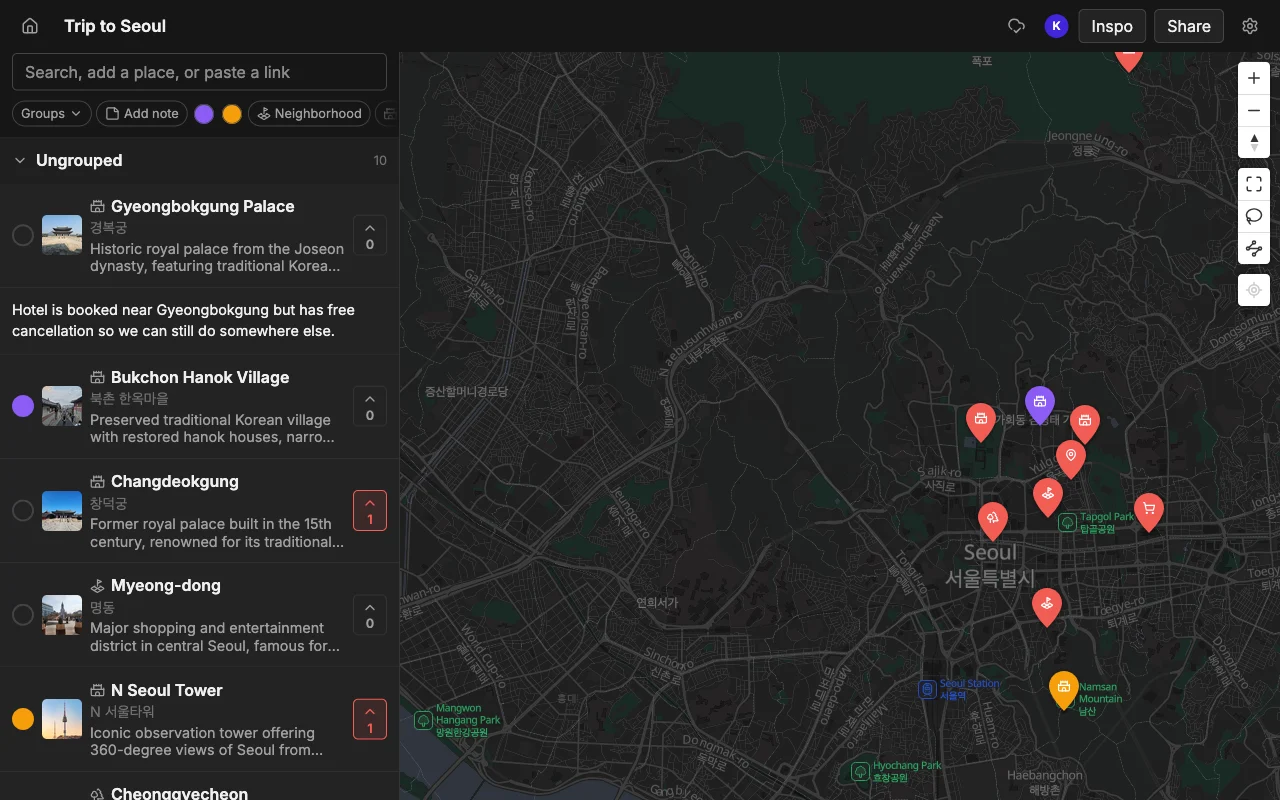
Notes do the rest of the work. Anyone can leave a note on a place: “book ahead, it fills up”, “closes at 3”, “skip the tourist entrance, go around the side”. Those comments live on the map next to the spot they are about, not buried in a chat thread from two weeks ago, so the context is there exactly when someone taps the pin. Combined with colors and lists, the map ends up carrying not just where you are going but why, and what to know when you get there.
This is what “sharing an itinerary” should mean: not broadcasting a finished plan for people to passively receive, but giving the group a shared surface to build and decide on together. When the votes are in and the notes are written, the map is the plan, and everyone already agreed to it.
Export or hand off the plan
Some people on the trip will want the itinerary in a format they already use, and that is easy to accommodate. You can export a Places map to KML, CSV, or PDF. The KML file opens directly in Google Maps, so anyone who lives in Google Maps can import the whole itinerary and follow it there, turn-by-turn navigation and all. A CSV is handy if someone wants the list in a spreadsheet, and a PDF makes a clean printout or offline copy for the person who likes paper.
Exporting is also a good safety net for the one traveler who will be offline or roaming without data. Hand them a PDF or a KML before you go and they have the full plan regardless of signal. None of this locks the itinerary inside one app: you build it collaboratively on the shared map, and you can take it out in a standard format whenever it helps.
Frequently asked questions
- How do I share a trip itinerary as one link?
- Build the trip on a map, then share the read-only public link for anyone to view, or an invite link for the people planning with you to edit. The link always shows the current version, so you send it once instead of re-sending an updated list every time something changes.
- Can people see the itinerary without an account?
- Yes. A read-only public link opens for anyone with no account and no install. An account is only needed to edit the map, so viewers can browse every place, photo, and note freely.
- How do we all edit the same itinerary at once?
- Send an invite link with edit access. Everyone works on the same map in real time on the web, iPhone, or Android, and edits appear for the whole group instantly with nothing to re-send.
- How do I decide where to go without endless group-chat debate?
- Have everyone vote on the places on the map and leave notes on the spots they care about. Preferences show up right on the pins, so the group settles on a plan visually instead of scrolling back through messages.
- Can I move the itinerary into Google Maps?
- Yes. Export the map to KML and import that file into Google Maps to follow it there. You can also export to CSV for a spreadsheet or PDF for a printable, offline copy.
- Is it free to share an itinerary?
- Yes, it is free to start, with unlimited maps, places, and collaborators, on the web and mobile. You can build and share a full trip without paying to get going.