How to turn a travel article into a Google Maps list
Updated June 25, 2026
You found the perfect article. Maybe it is a “36 hours in Lisbon” from a newspaper travel desk, a “20 best bakeries in Paris” listicle, or a blogger’s long, opinionated writeup of their week in Tokyo. It names a dozen or more places you want to visit, and every one of them is buried in a paragraph of prose. The usual next step is grim: open Google Maps in another tab, read the article line by line, copy each name, search for it, star it, and hope you did not skip one. By the third restaurant you have lost your place in the article, and by the tenth you have given up.
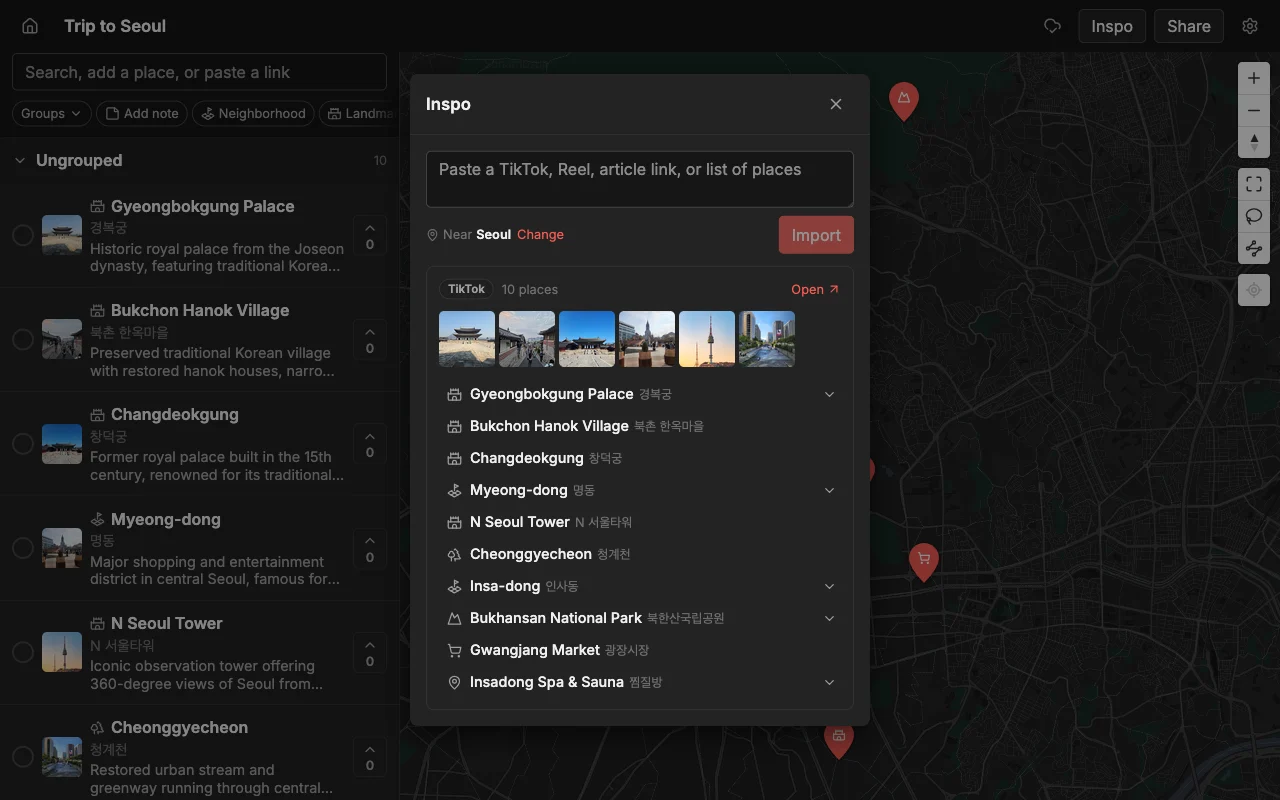
There is a faster path. Places finds the places the article names and drops each one onto a map with a photo and a short note, so you get a real, browsable map in about the time it takes to read a couple of paragraphs. When you are happy with it, you export the whole thing to a file that opens straight in Google Maps, so your list lands exactly where you already navigate.
This guide walks through the whole flow: pasting the article, checking what came out, sharing it with the people you are traveling with, and exporting it to Google Maps for directions. It takes a couple of minutes, and you never copy an address by hand.
Paste the article
Open a map in Places (make a new one for the trip if you do not have it yet) and paste the article’s link into the add bar at the top. Places pulls out the places the article names. Each one becomes a pin, with a photo and a short description, so within a few seconds you are looking at a map instead of a wall of text. There is nothing to install and no spreadsheet to fill in.
This works on more than tidy numbered listicles. A rambling personal blog post, a “where to eat” roundup, a hotel review that mentions three nearby cafes in passing: Places is looking for the named places, not a particular article format, so messy real-world writing is usually fine. If a piece mentions ten restaurants and two parks, you should see twelve pins land.
A few practical notes make this smoother. Paste the direct link to the article rather than a search-results or homepage URL, so the reader lands on the actual text. If the article is spread across a “next page” pagination, grab each page’s link. And if you have several articles for the same city, paste them one after another into the same map: the pins stack up together, and you end up with one combined map built from five different writers instead of five separate lists you have to reconcile later.
What Places pulls out for each place
It helps to know what you are getting, because it changes how much cleanup you do afterward. For every place it finds, Places adds a pin at the right location, a photo so you can recognize it at a glance, and a short note describing what it is. That means you are not staring at twelve identical red dots trying to remember which one was the natural-wine bar. You can see them.
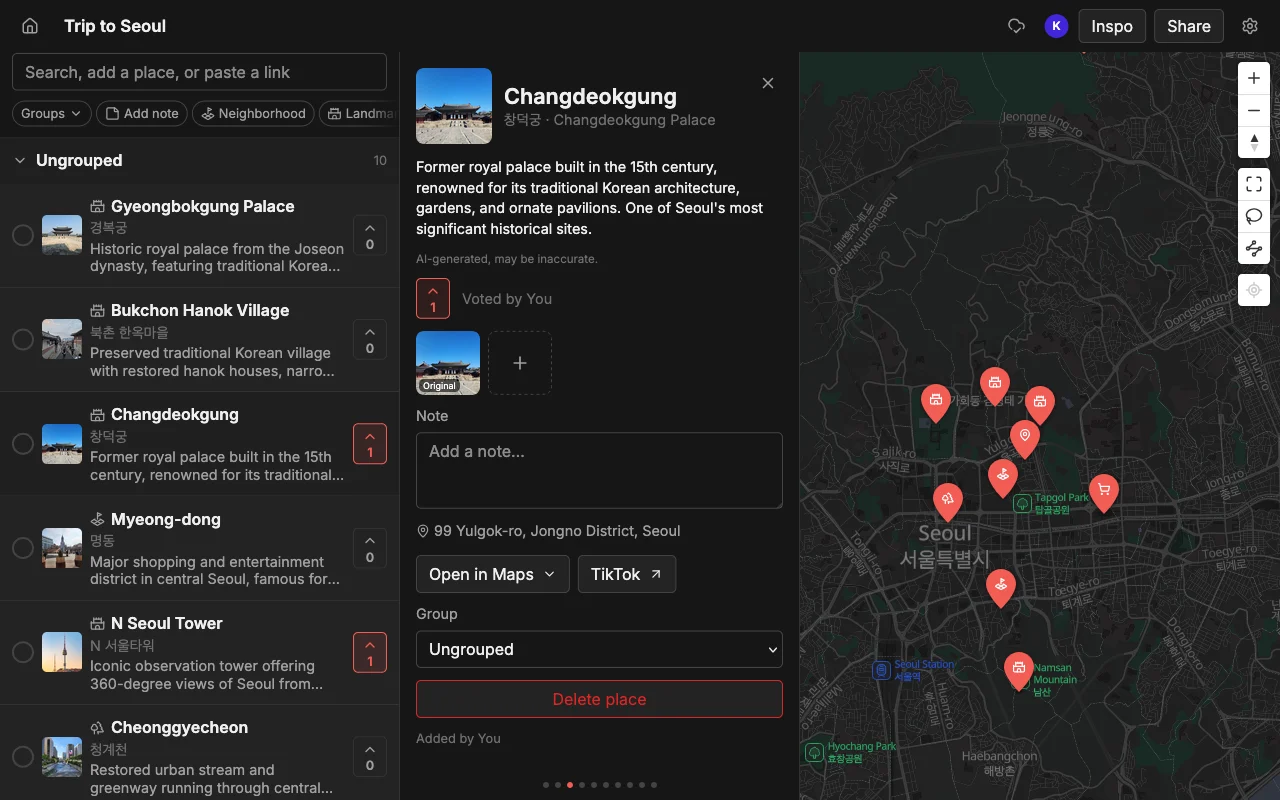
From there the map is yours to shape. Drop places into lists so Food, Coffee, Sights, and Bars each become their own group you can toggle. Recolor the pins so a glance tells you what kind of place each one is. Add your own note to anything, for example “book ahead” or “cash only” or “the article said go at sunset,” so the context travels with the pin instead of living back in the original tab. None of this is required to get a working map, but it is what turns a raw import into a plan you actually trust on the ground.
It is worth a quick scan for accuracy, too. The import is good but not perfect: a place with a very generic name, or one the article only alludes to, can occasionally land in the wrong spot or get skipped. Spend thirty seconds comparing the pins to the article, fix anything that looks off, and you are done. That is still a fraction of the time the manual copy-paste route would have cost.
Open it in Google Maps
Once the map looks right, you probably want it in Google Maps for turn-by-turn directions and Street View. To get it there, export to KML. Places produces a KML file, and KML opens in Google Maps, so your carefully built list lands where you actually navigate. You import the file into a My Maps map, and all your pins appear at once, no re-searching.
Why KML and not “just share to Google Maps”? Because Google Maps does not offer a real import from arbitrary sources: its own lists are famously awkward to move between accounts, you can follow someone else’s list but not copy it into your own, and you cannot search inside a list once it gets long. Google even retired public lists back in November 2023. KML sidesteps all of that. It is a plain, portable file that Google Maps understands, so you own the data and can bring it anywhere.
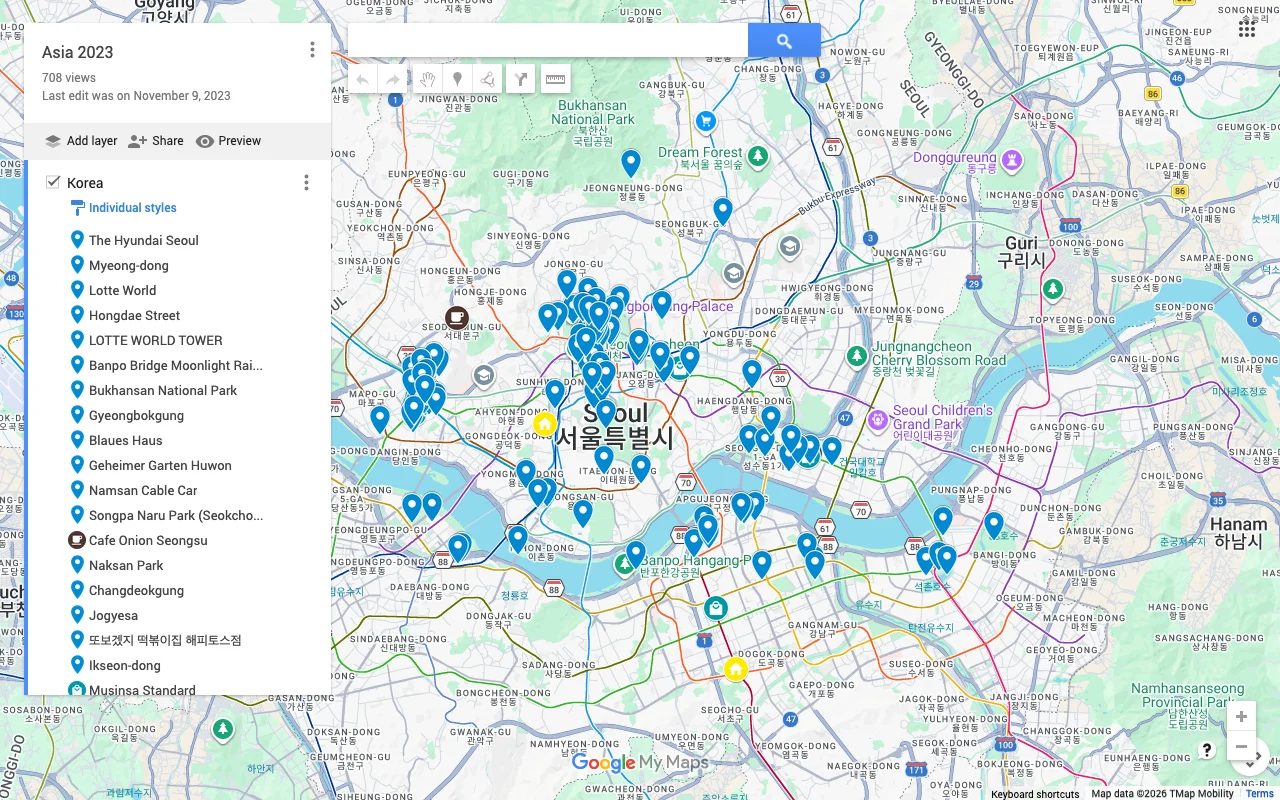
Places also exports CSV and PDF if you need them. CSV is handy when you want the places in a spreadsheet, for example to add a column for who suggested what or to sort by neighborhood. PDF gives you a clean printable or offline copy to carry as a backup when signal is patchy. There is no cap on how many places carry across, so a fifty-pin city map exports as easily as a five-pin one.
One tip: do your editing in Places first, then export. The export is a snapshot of the map at that moment. If you keep refining the plan (and you probably will, especially if friends are adding to it), it is cleaner to finalize in Places and export once near the end than to export early and re-import repeatedly.
Plan it with others first
Here is the part most people skip, and it is the best reason to route through Places rather than dumping the article straight into Google Maps. Before you export, share the map so the people you are traveling with can weigh in. Send an invite link and they can add their own spots, vote on which of the article’s picks actually make the cut, and leave notes about hours, prices, or who has already been. The article gave you a starting point; the group turns it into a plan.
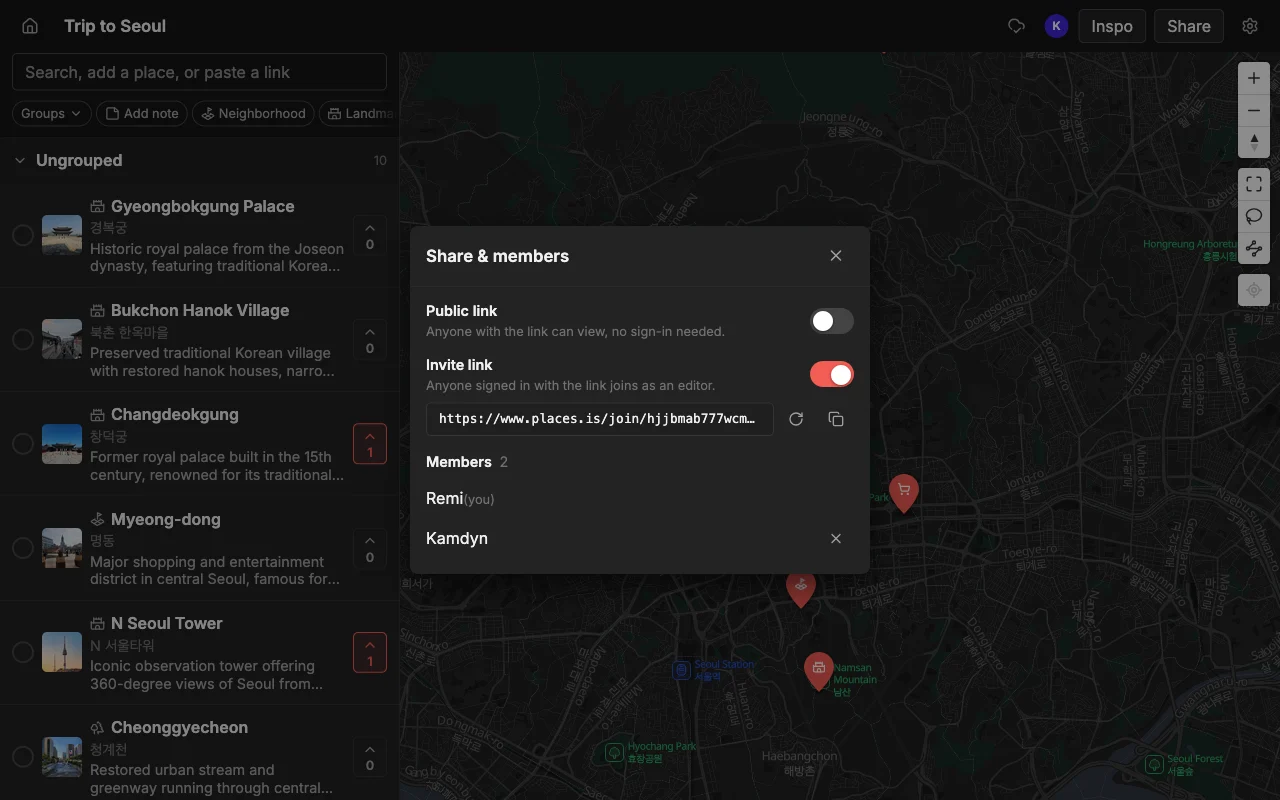
This matters because a travel article is one writer’s taste, not your group’s. Some of the twelve restaurants will be wrong for you: too far, too pricey, closed Mondays, not your thing. Voting surfaces the ones people genuinely want fast, so you settle “where should we eat?” without a fifty-message thread. And because edits sync live across web, iPhone, and Android, nobody is left re-sending screenshots or stuck because they are on the “wrong” device.
So the sequence is: paste the article to build the map, share it to decide together, then export to KML to take the finished list into Google Maps for directions. You get the speed of automatic import, the judgment of the whole group, and navigation in the app you already use, without ever copying a place by hand.
Frequently asked questions
- Does this work on any travel article?
- It works on most normal pages that name real places, from tidy numbered listicles to rambling personal blog posts. It looks for the places, not a specific format. Paste the direct link to the article text (not a homepage or search page) for the best result, and give the pins a quick scan afterward to catch anything a generic name confused.
- Will it open in Google Maps?
- Yes. Export the map to KML and import that file into Google My Maps. All your pins appear at once with no re-searching, because KML is a portable format Google Maps and most map apps understand.
- Does this cost anything?
- Places is free to start, with unlimited maps, places, and collaborators, so building and sharing a map costs nothing. Exporting the finished map to KML, CSV, or PDF is available when you want to open it in another app.
- Can I combine several articles into one map?
- Yes, and it is a common use. Paste each article link into the same map one after another and the pins stack up together, so you end up with a single combined map built from several writers instead of a pile of separate lists.
- What if a place lands in the wrong spot?
- Occasionally a very generic or barely-mentioned name lands off. Just tap the pin and correct it, or delete and re-add it by search. A quick pass to fix a stray pin still beats copying every place by hand.
- Can other people help before I export?
- That is the recommended flow. Share the map with an invite link so friends add spots, vote, and leave notes, then export the agreed plan to Google Maps once everyone has had their say.